游客用户下载速度限制128kb免费注册后解除限速
电脑软件
52个 文件
-
软件信息
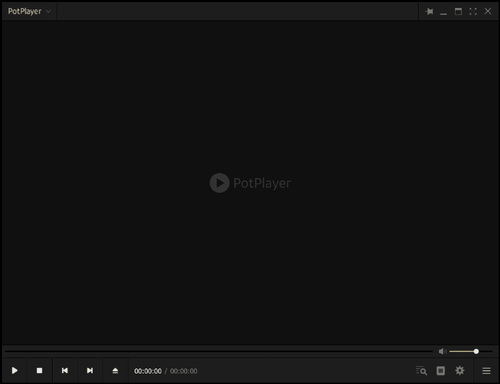
软件名称:PotPlayer 软件类型:视频播放器 软件大小:32.4 M 软件版本:1.7.22233 适用设备:Windows PotPlayer简介
Potplayer 是一款功能强大且广受欢迎的多媒体播放器软件。它以其出色的兼容性和丰富的功能而备受好评,深受用户的喜爱。Potplayer 支持几乎所有常见的视频和音频格式,并且可以流畅播放高清视频,即使是 4K 格式也能轻松应对。
它内置了强大的解码器,可以自动选择最合适的解码器来播放不同类型的媒体文件。此外,Potplayer 还提供了截图、录屏、字幕管理等实用功能,为用户提供了非常灵活和方便的多媒体播放体验。凭借其出色的性能和丰富的功能,Potplayer 已经成为许多用户的首选媒体播放器。
PotPlayer版本特性
去效验,去右下角空白广告弹窗!卸载可选备份设置 禁止后台联网请求:境外广告、发送日志、检查升级 集成额外的音频解码器及视频解码器组件 预设配置:常规设置 + 默认启用自定义解码器H.265/HEVC及硬件加速 集成三款精选皮肤主题:简约暴风, ModernW10, Carefree (轻尘系列) 删除TV直播列表, 登陆程序,日志管理, 消息通知, 多语言等不必要的文件- 免费
- 66 下载
由 小天管理提交于 -
迅雷是国民级的下载软件了,很多资源用迅雷下载速度很快!但是官方版迅雷功能越来越杂,广告也越来越多,这点对于用户很不友好。
这次给大家分享的是迅雷v11.1.8绿色极速版,界面简洁无广告,还能显示SVIP标识,账号登录和网盘功能也都正常用,是我一直在用的一个版本!
软件信息
软件名称:迅雷 软件大小:55.0 MB 软件版本:v11.1.8绿色极速版 软件类型:下载工具 使用介绍
我给大家分享的这个迅雷特殊版是免安装版本,下载到本地后,你首先要把内置文件夹解压到某个目录下。
虽然是免安装,但是如果想让他正常工作的话,还需要点击一下上图的绿化程序。它会把软件添加到注册表,也会添加桌面快捷方式,后续你也能正常唤醒它。
如上是软件的界面,没有任何广告。是不是很简洁~如果你登录的话,登录后还会给你显示一个SVIP10级的标识,但是这就是一个标识,并不代表你的账号已经是破了VIP了,属于是自嗨的小功能。
速度上非常快,如果资源不是很冷门的话,轻轻松松跑满宽带,应该是没有限速的!
- 免费
- 26 下载
由 小天管理提交于