


名称:Soulmask Trainer
版本:Early Access+
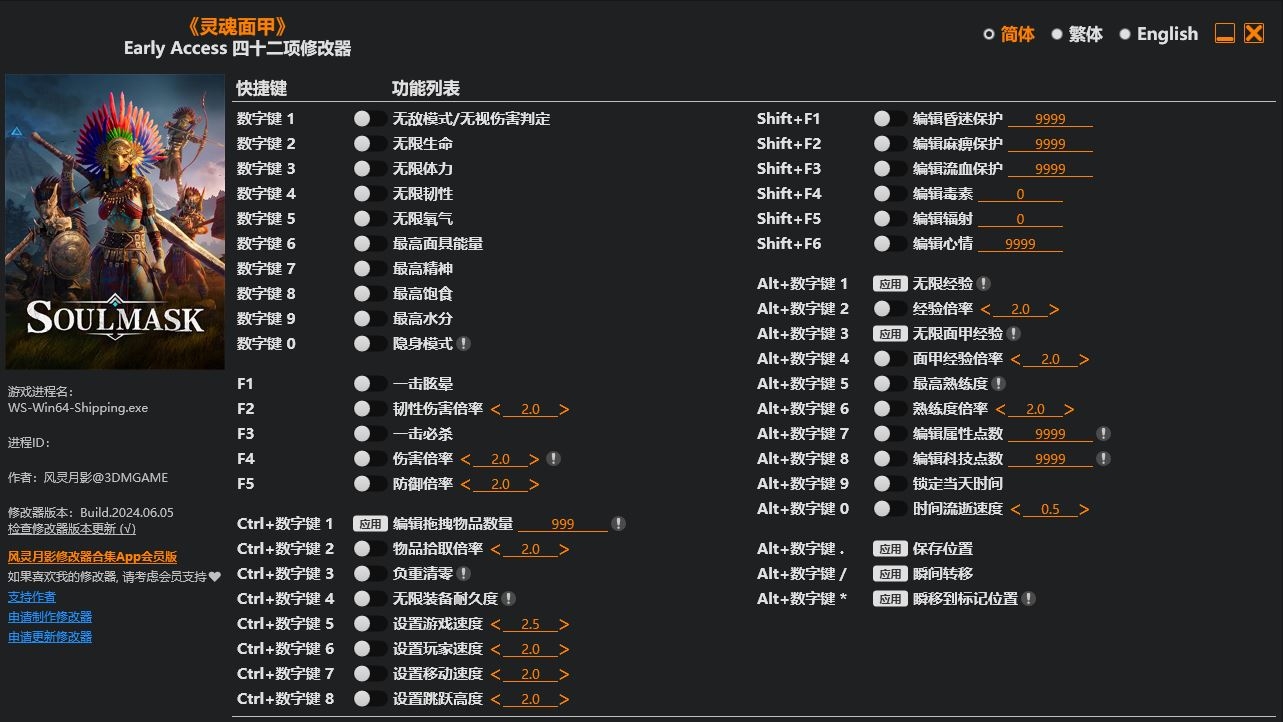
Num 1 – God Mode/Ignore Hits
Num 2 – Infinite Health
Num 3 – Infinite Stamina
Num 4 – Infinite Resilience
Num 5 – Infinite Breath
Num 6 – Max Mask Energy
Num 7 – Max Morale
Num 8 – Max Satiety
Num 9 – Max Hydration
Num 0 – Stealth Mode
F1 – One Hit Stun
F2 – Resilience Damage Multiplier
F3 – One Hit Kills
F4 – Damage Multiplier
F5 – Defense Multiplier
Ctrl+Num 1 – Edit Dragged Item Amount
Ctrl+Num 2 – Item Pickup Multiplier
Ctrl+Num 3 – Zero Weight
Ctrl+Num 4 – Infinite Equipment Durability
Ctrl+Num 5 – Set Game Speed
Ctrl+Num 6 – Set Player Speed
Ctrl+Num 7 – Set Movement Speed
Ctrl+Num 8 – Set Jump Height
Shift+F1 – Edit Coma Protection
Shift+F2 – Edit Paralysis Protection
Shift+F3 – Edit Bleed Protection
Shift+F4 – Edit Poison
Shift+F5 – Edit Radiation
Shift+F6 – Edit Mood
Alt+Num 1 – Infinite Exp
Alt+Num 2 – Exp Multiplier
Alt+Num 3 – Infinite Mask Exp
Alt+Num 4 – Mask Exp Multiplier
Alt+Num 5 – Max Proficiency
Alt+Num 6 – Proficiency Multiplier
Alt+Num 7 – Edit Attribute Points
Alt+Num 8 – Edit Tech Points
Alt+Num 9 – Freeze Daytime
Alt+Num 0 – Time Pass Speed
Alt+Num . – Save Location
Alt+Num / – Teleport Saved Location
Alt+Num * – Teleport To Waypoint Location
您只能在下载文件后才能提供评论.
没有评论可显示.