

跳转到内容
View in the app

A better way to browse. Learn more.

彼岸论坛

A full-screen app on your home screen with push notifications, badges and more.

To install this app on iOS and iPadOS
  1. Tap the Share icon in Safari
  2. Scroll the menu and tap Add to Home Screen.
  3. Tap Add in the top-right corner.
To install this app on Android
  1. Tap the 3-dot menu (⋮) in the top-right corner of the browser.
  2. Tap Add to Home screen or Install app.
  3. Confirm by tapping Install.
游客用户下载速度限制128kb免费注册后解除限速

艾尔登法环-风灵月影修改器-黄金树DLC通关存档-中文设置补丁 V1.12.1

(0篇 评论)

2张 截图

通关存档-方便第一时间玩DLC

风灵月影修改器

关于中文选择-第一次进入游戏会有语言选择的 注意看清楚了.
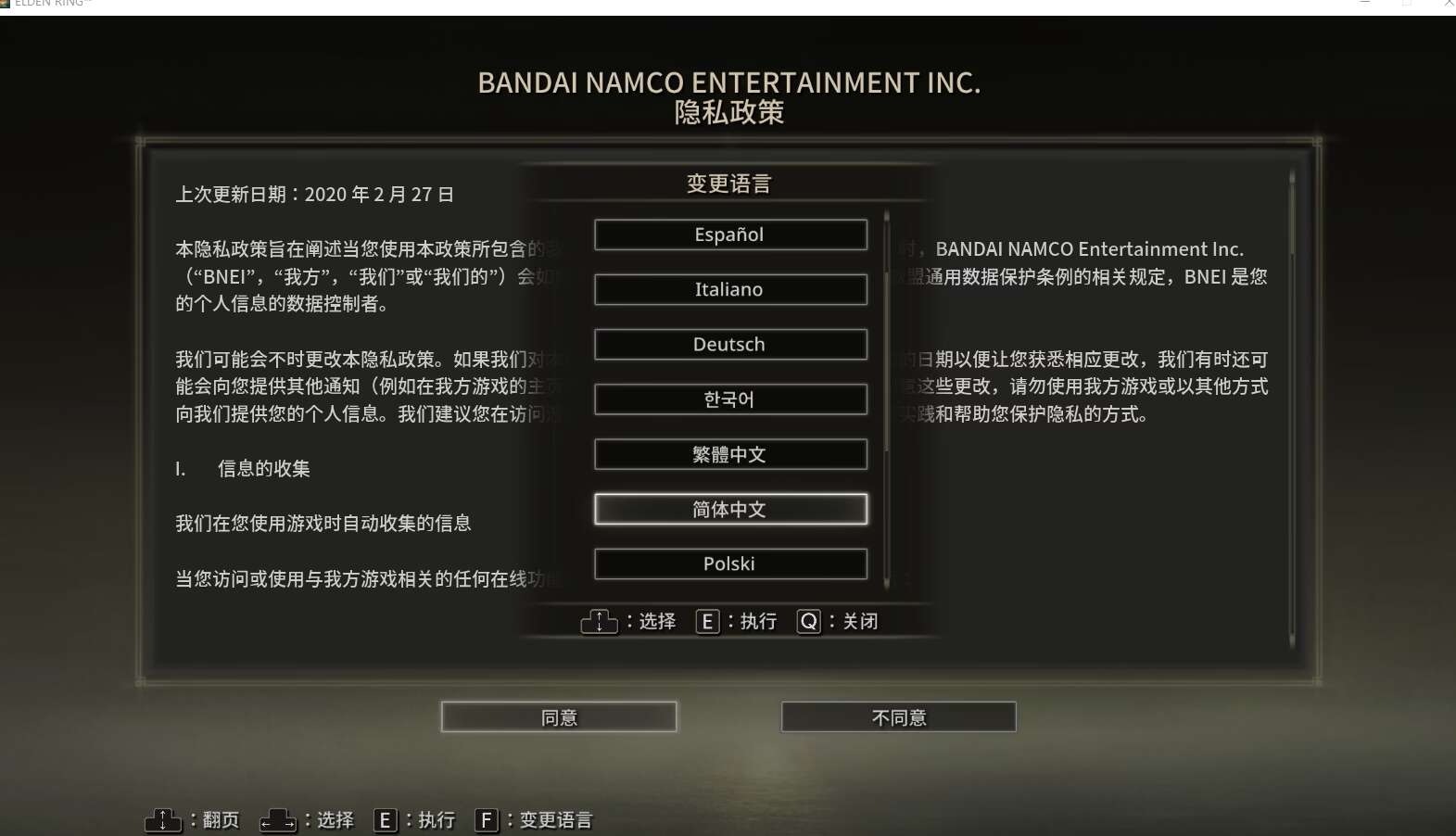
image.thumb.jpeg.4d8f9418a5dfb877be432bb3013e2add.jpeg

如果大意错过了选择中文,可以到存档位置

C:\Users\用户名\AppData\Roaming\EldenRing

删除存档重新进入游戏 再次选择语言.


如果还不会…下载这个文件 解压覆盖到游戏GAME文件夹里面就行了

中文设置补丁

1560c96a8d008.jpg

3fd9fa72d9411.jpg

用户反馈

您只能在下载文件后才能提供评论.

没有评论可显示.

Configure browser push notifications

Chrome (Android)
  1. Tap the lock icon next to the address bar.
  2. Tap Permissions → Notifications.
  3. Adjust your preference.
Chrome (Desktop)
  1. Click the padlock icon in the address bar.
  2. Select Site settings.
  3. Find Notifications and adjust your preference.