跳转到内容
View in the app

A better way to browse. Learn more.

彼岸论坛

A full-screen app on your home screen with push notifications, badges and more.

To install this app on iOS and iPadOS
  1. Tap the Share icon in Safari
  2. Scroll the menu and tap Add to Home Screen.
  3. Tap Add in the top-right corner.
To install this app on Android
  1. Tap the 3-dot menu (⋮) in the top-right corner of the browser.
  2. Tap Add to Home screen or Install app.
  3. Confirm by tapping Install.
游客用户下载速度限制128kb免费注册后解除限速

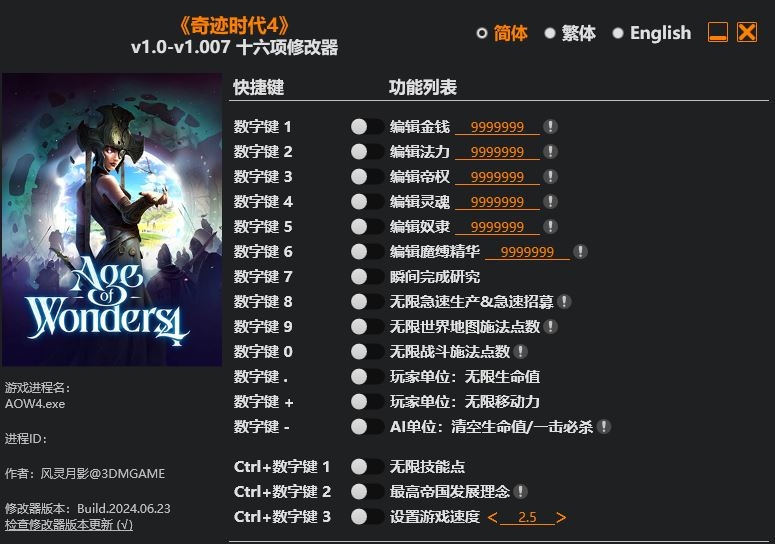
奇迹时代4 修改器 v1.0-v1.007

(0篇 评论)

1张 截图

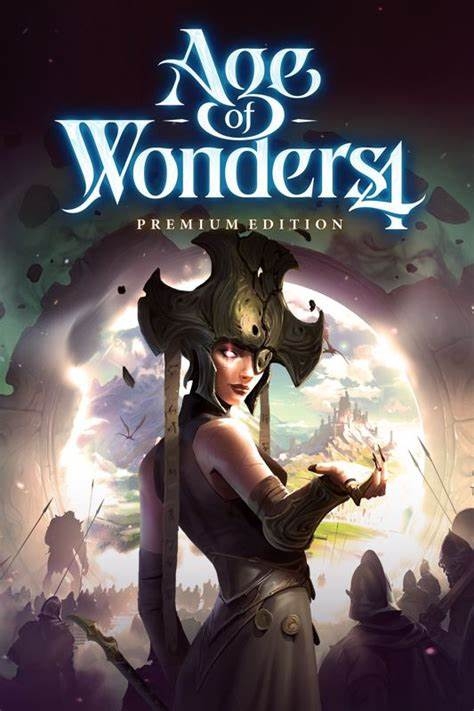
名称:Age of Wonders 4

220248d55767c.jpg.60163c5a39a685c63310c8d2ebfe9af1.jpg

版本: v1.0-v1.007

ff9b92e0862f1.jpg.d5fc9b3291dece4e9fb9ea47a2c95388.jpg

Num 1 – Edit Gold
Num 2 – Edit Mana
Num 3 – Edit Imperium
Num 4 – Edit Soul
Num 5 – Edit Thrall
Num 6 – Edit Binding Essence
Num 7 – Instant Research
Num 8 – Infinite Hurry Production & Recruitments
Num 9 – Infinite World Map Casting Points
Num 0 – Infinite Combat Casting Points
Num . – Player Units: Infinite Health
Num + – Player Units: Infinite Movement
Num – – AI Units: Drain Health/One Hit Kills

Ctrl+Num 1 – Infinite Skill Points
Ctrl+Num 2 – Max Empire Development Affinity
Ctrl+Num 3 – Set Game Speed

用户反馈

您只能在下载文件后才能提供评论.

没有评论可显示.

Configure browser push notifications

Chrome (Android)
  1. Tap the lock icon next to the address bar.
  2. Tap Permissions → Notifications.
  3. Adjust your preference.
Chrome (Desktop)
  1. Click the padlock icon in the address bar.
  2. Select Site settings.
  3. Find Notifications and adjust your preference.