

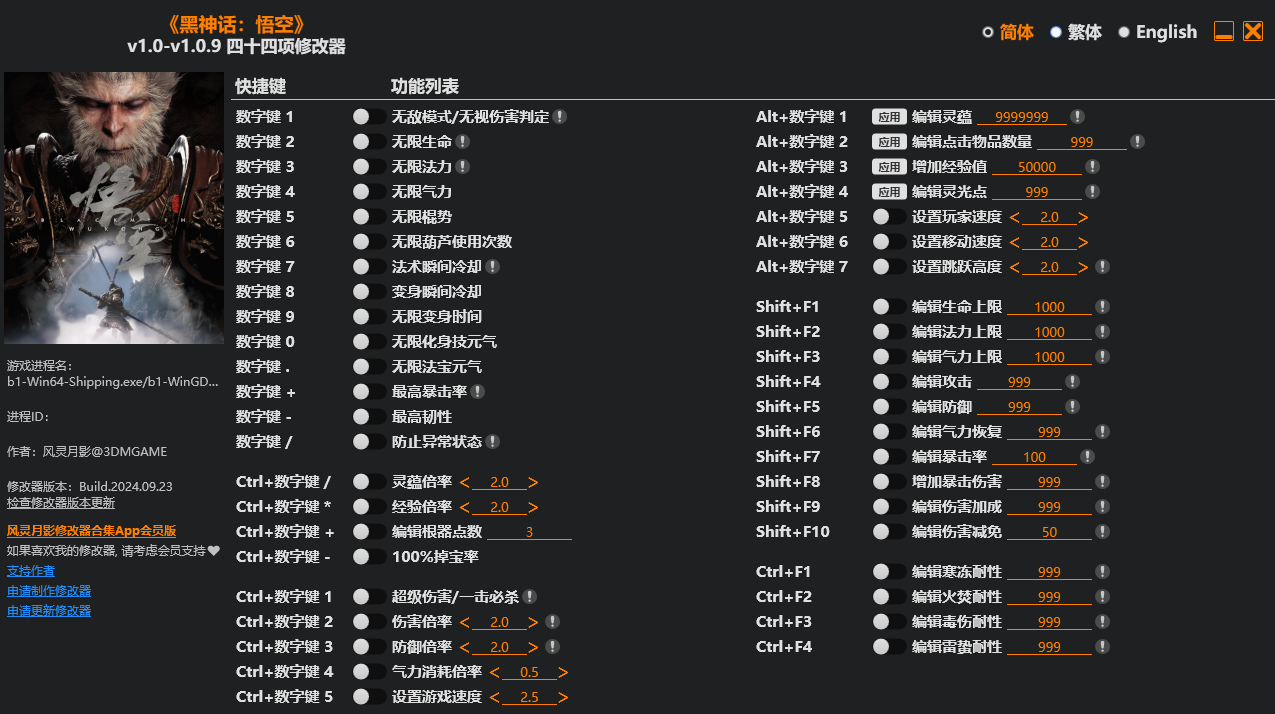
名称:Black Myth: Wukong Trainer
版本:v1.0-v1.0.9+
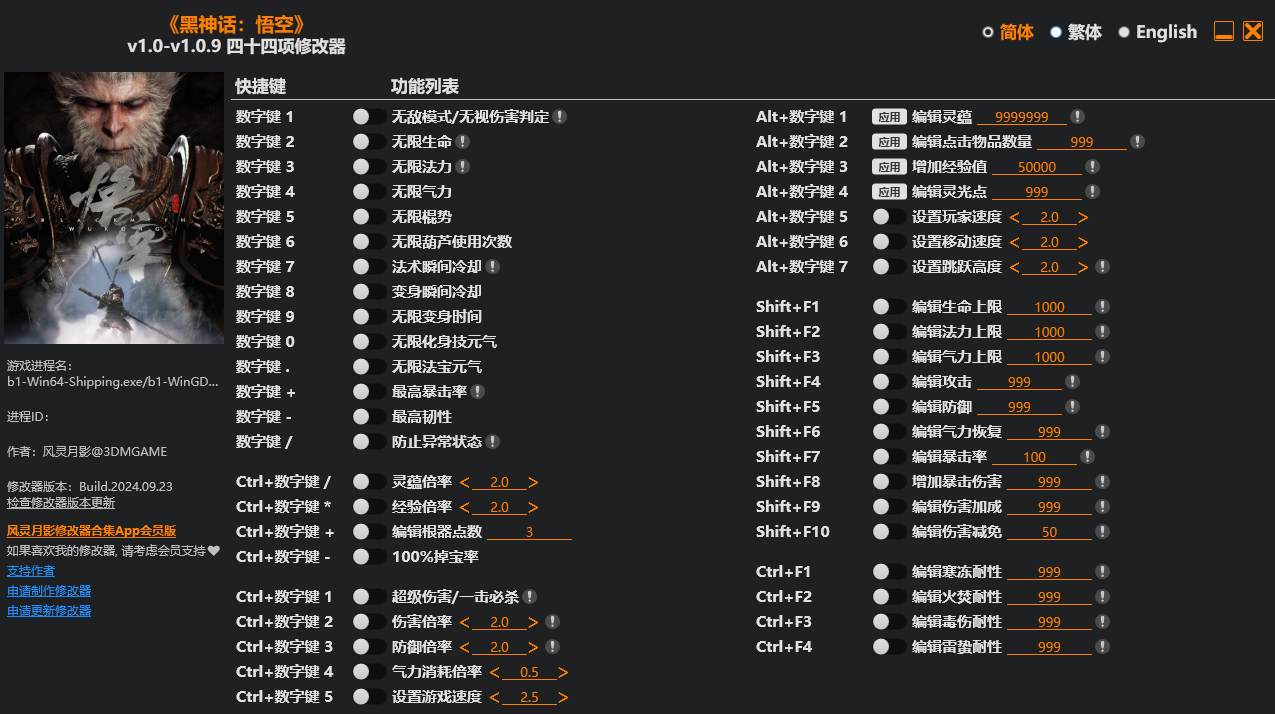
Num 1 – God Mode/Ignore Hits
Num 2 – Infinite Health
Num 3 – Infinite Mana
Num 4 – Infinite Stamina
Num 5 – Infinite Focus
Num 6 – Infinite Gourd Usage
Num 7 – Instant Spell Cooldown
Num 8 – Instant Transform Cooldown
Num 9 – Infinite Transform Duration
Num 0 – Infinite Spirit Energy
Num . – Infinite Vessel Energy
Num + – Max Critical Hit Chance
Num – – Max Poise
Num / – Prevent Negative Status
Ctrl+Num / – Will Multiplier
Ctrl+Num * – Exp Multiplier
Ctrl+Num + – Edit Relic Points
Ctrl+Num – – 100% Drop Rate
Ctrl+Num 1 – Super Damage/One Hit Kills
Ctrl+Num 2 – Damage Multiplier
Ctrl+Num 3 – Defense Multiplier
Ctrl+Num 4 – Stamina Consumption Rate
Ctrl+Num 5 – Set Game Speed
Alt+Num 1 – Edit Will
Alt+Num 2 – Edit Clicked Item Amount
Alt+Num 3 – Increase Exp
Alt+Num 4 – Edit Sparks
Alt+Num 5 – Set Player Speed
Alt+Num 6 – Set Movement Speed
Alt+Num 7 – Set Jump Height
Shift+F1 – Edit Max Health
Shift+F2 – Edit Max Mana
Shift+F3 – Edit Max Stamina
Shift+F4 – Edit Attack
Shift+F5 – Edit Defense
Shift+F6 – Edit Stamina Recovery Rate
Shift+F7 – Edit Critical Hit Chance
Shift+F8 – Increase Critical Hit Damage
Shift+F9 – Edit Damage Bonus
Shift+F10 – Edit Damage Reduction
Ctrl+F1 – Edit Chill Resistance
Ctrl+F2 – Edit Burn Resistance
Ctrl+F3 – Edit Poison Resistance
Ctrl+F4 – Edit Shock Resistance
您只能在下载文件后才能提供评论.
没有评论可显示.