跳转到内容
View in the app

A better way to browse. Learn more.

彼岸论坛

A full-screen app on your home screen with push notifications, badges and more.

To install this app on iOS and iPadOS
  1. Tap the Share icon in Safari
  2. Scroll the menu and tap Add to Home Screen.
  3. Tap Add in the top-right corner.
To install this app on Android
  1. Tap the 3-dot menu (⋮) in the top-right corner of the browser.
  2. Tap Add to Home screen or Install app.
  3. Confirm by tapping Install.
欢迎抵达彼岸 彼岸花开 此处谁在 -彼岸论坛

ACGN分区

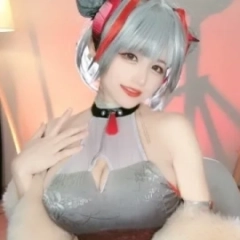
  1. 二次元资源交流分享平台 – www.cnbian.com/ Coser正片: 动漫Coser@溯兮-sukki NIKKE 海伦礼服

    • 0 篇 回复
    • 205 次 查看
  2. Coser正片: 动漫Coser@宮本桜 碧蓝航线

    • 0 篇 回复
    • 211 次 查看
  3. #碧蓝航线##碧蓝航线cos##埃吉尔##cosplay# 埃吉尔舞娘 ~龙娘香香~大大大乳门永存~ 服装:对酒当鸽

    • 0 篇 回复
    • 240 次 查看
  4. 点击图片查看无损原图

    • 0 篇 回复
    • 239 次 查看

Account

导航

搜索

Configure browser push notifications

Chrome (Android)
  1. Tap the lock icon next to the address bar.
  2. Tap Permissions → Notifications.
  3. Adjust your preference.
Chrome (Desktop)
  1. Click the padlock icon in the address bar.
  2. Select Site settings.
  3. Find Notifications and adjust your preference.