跳转到内容
View in the app

A better way to browse. Learn more.

彼岸论坛

A full-screen app on your home screen with push notifications, badges and more.

To install this app on iOS and iPadOS
  1. Tap the Share icon in Safari
  2. Scroll the menu and tap Add to Home Screen.
  3. Tap Add in the top-right corner.
To install this app on Android
  1. Tap the 3-dot menu (⋮) in the top-right corner of the browser.
  2. Tap Add to Home screen or Install app.
  3. Confirm by tapping Install.
欢迎抵达彼岸 彼岸花开 此处谁在 -彼岸论坛

[分享创造] 《阅览》保存和管理自己的网页(本地文件)

发表于

《阅览》目前是测试本版

软件下载地址: 阅览

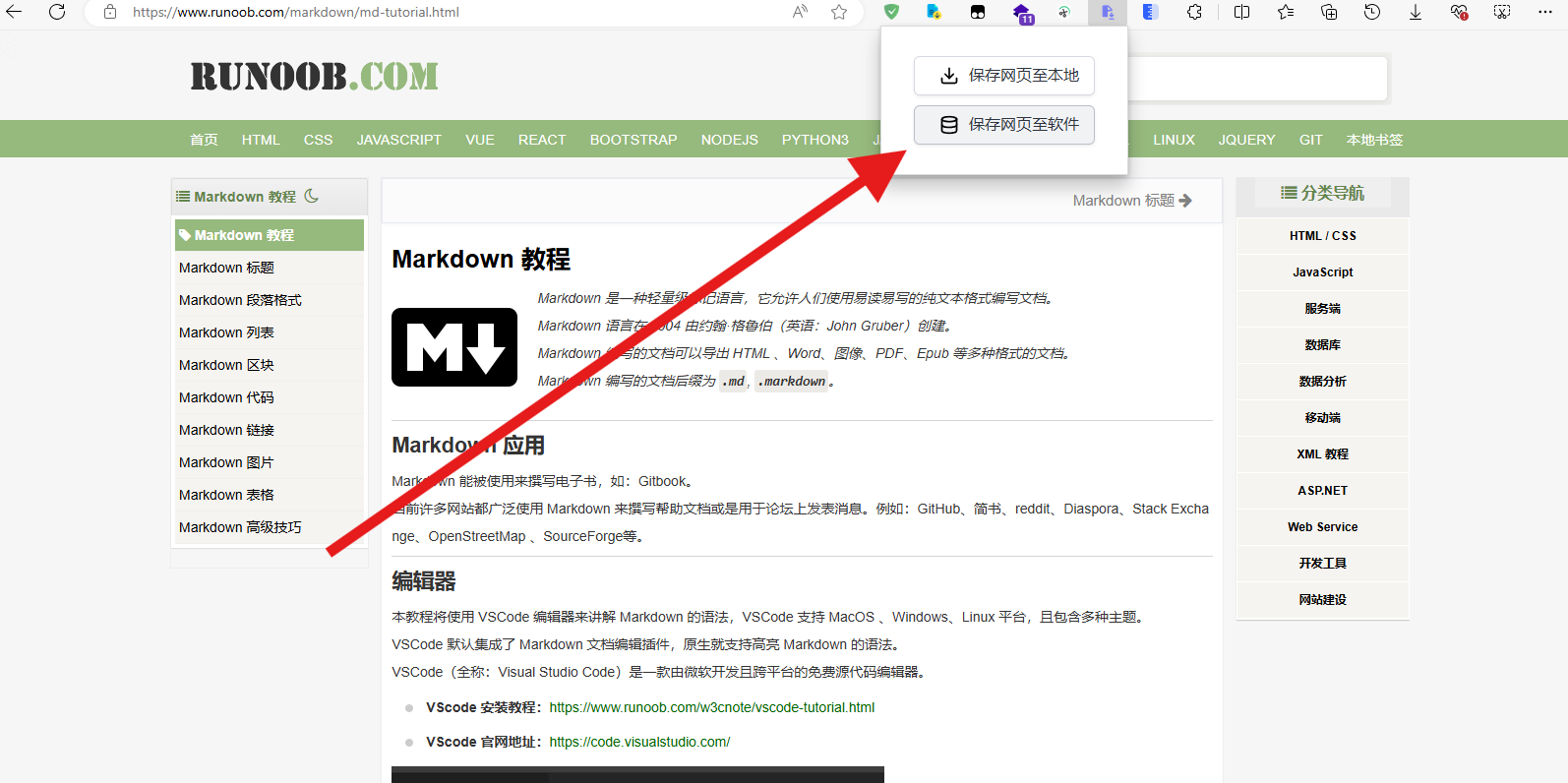
使用前需要安装浏览器扩展(目前就只上架了微软扩展商店) 网页存档助手

扩展截图

安装软件

软件截图

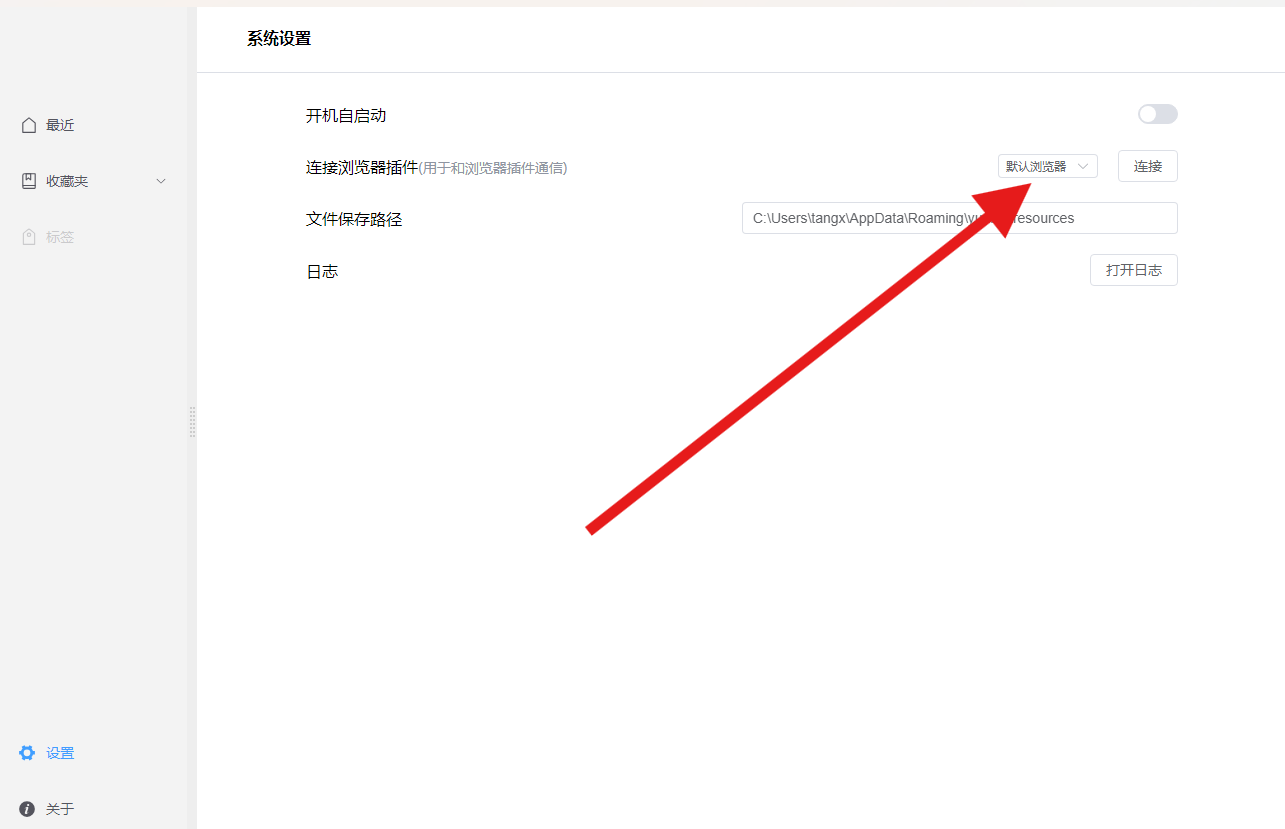
连接浏览器扩展

在安装完软件会打开默认浏览器进行连接

如果默认浏览器没有安装扩展

到软件设置选择浏览器进行连接 设置截图
保存网页

打开浏览器,找到需要保存的网页 保存网页

功能介绍

右键菜单支持打开原始网页和导出等操作

右键菜单

右键新建收藏夹

收藏夹

将网页移动到收藏夹

收藏夹

有什么问题和建议可以加 QQ 群进行反馈

点击链接加入群聊 [阅览] :阅览群聊

QQ 群:673794567

Featured Replies

No posts to show

创建帐户或登录来提出意见

Configure browser push notifications

Chrome (Android)
  1. Tap the lock icon next to the address bar.
  2. Tap Permissions → Notifications.
  3. Adjust your preference.
Chrome (Desktop)
  1. Click the padlock icon in the address bar.
  2. Select Site settings.
  3. Find Notifications and adjust your preference.