跳转到内容
View in the app

A better way to browse. Learn more.

彼岸论坛

A full-screen app on your home screen with push notifications, badges and more.

To install this app on iOS and iPadOS
  1. Tap the Share icon in Safari
  2. Scroll the menu and tap Add to Home Screen.
  3. Tap Add in the top-right corner.
To install this app on Android
  1. Tap the 3-dot menu (⋮) in the top-right corner of the browser.
  2. Tap Add to Home screen or Install app.
  3. Confirm by tapping Install.
欢迎抵达彼岸 彼岸花开 此处谁在 -彼岸论坛

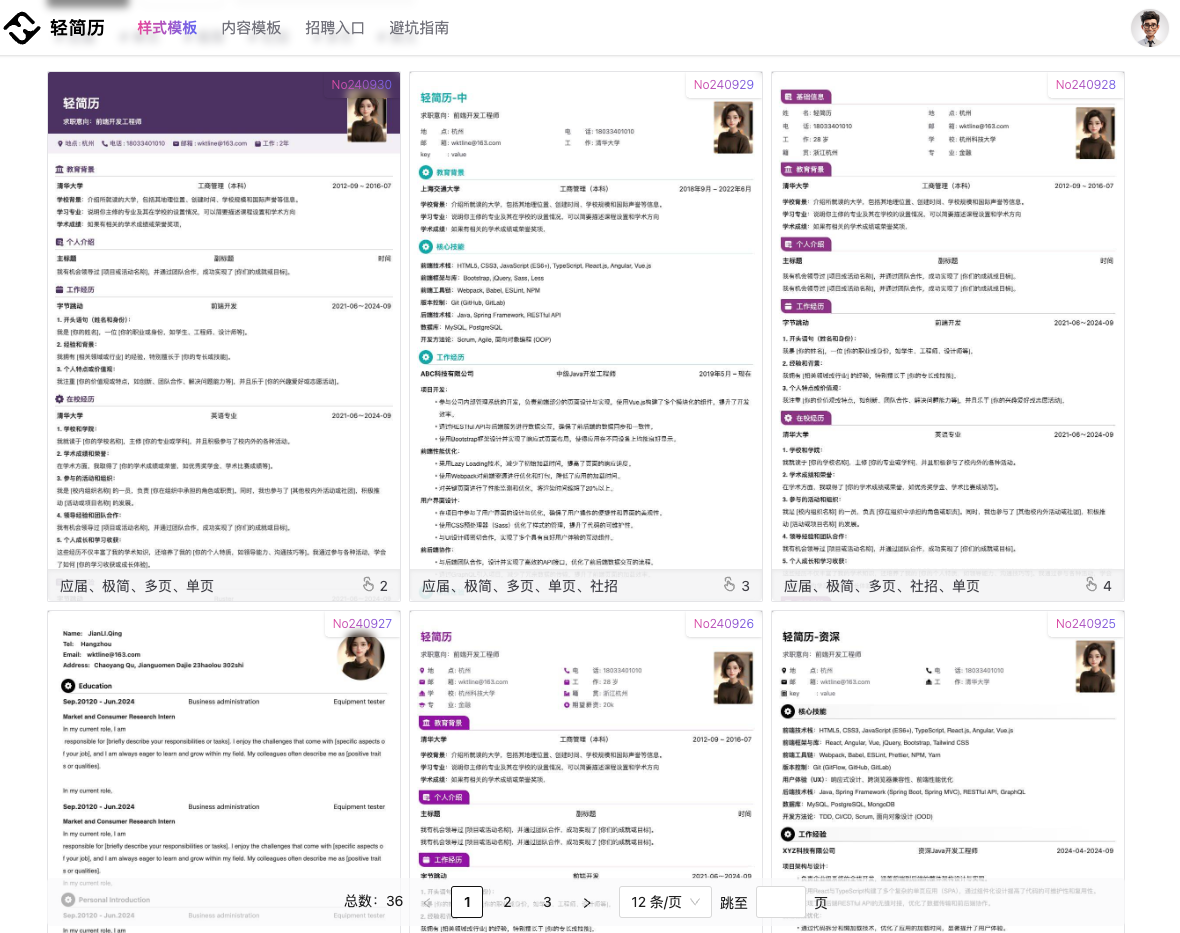
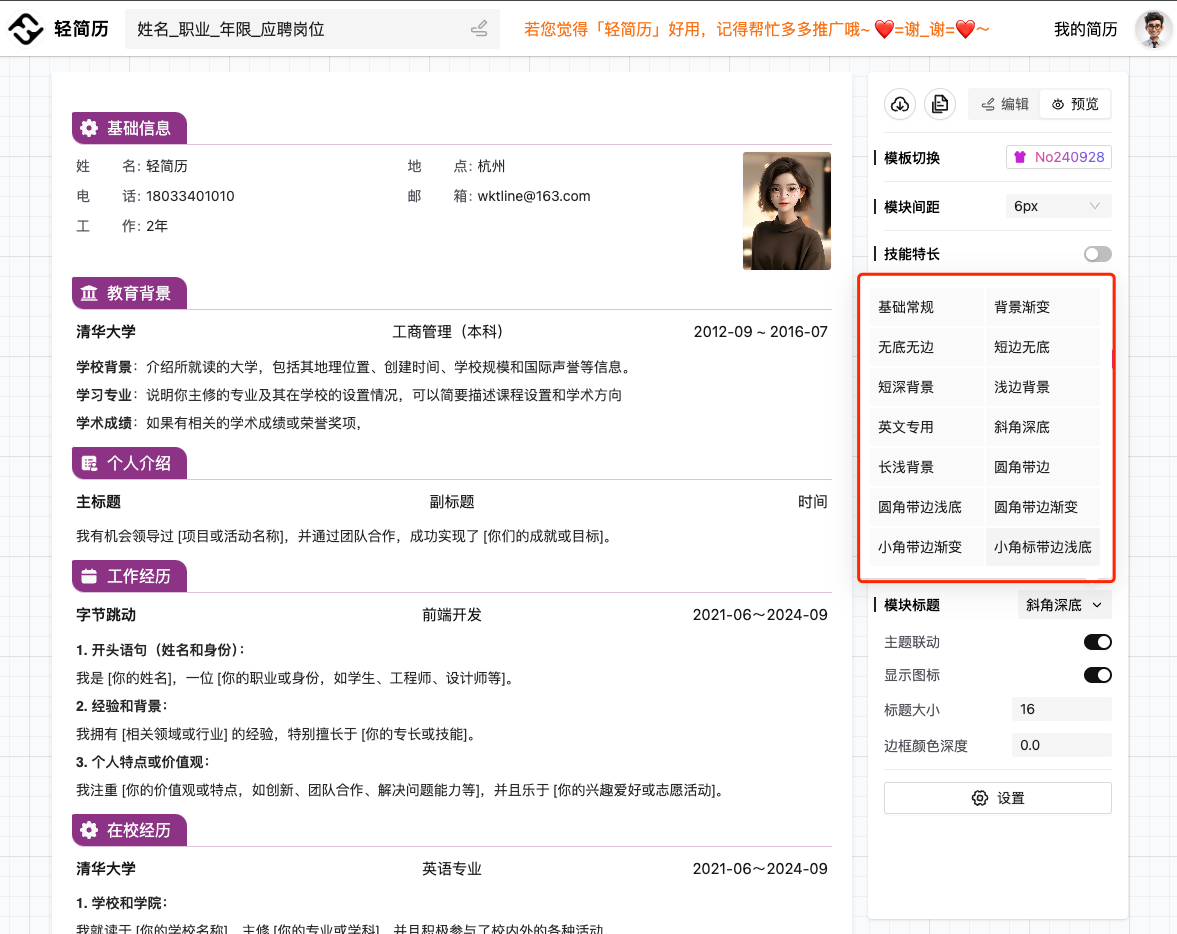
[分享创造] [独立开发] - 轻简历-新增 24 个精美模板,新增标题 icon,简历样式实现自由组合~

发表于

体验地址:轻简历

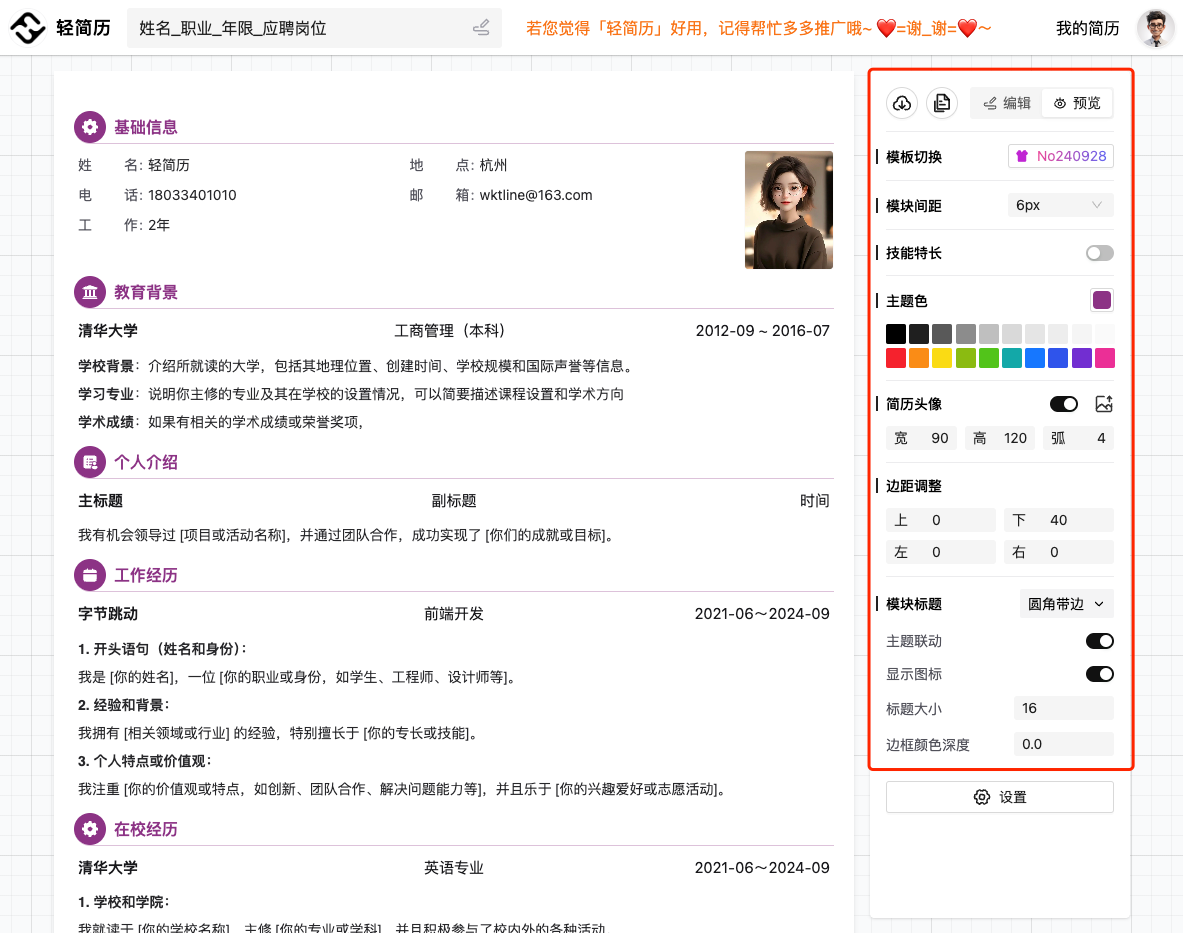
  1. 一键制作副本,适用不同场景
  2. 主题色任意修改
  3. 内容标题格式自定义
  4. 模块标题、icon 、颜色完全自定义
  5. 更多功能如下图~

概况 模板 80e7ba7f93707bd3070e275eaf93655f.jpg 79facf210f68514d0c2f6a058f8b2ee0.jpg

Featured Replies

没有可显示的帖子

创建帐户或登录来提出意见

Account

导航

搜索

Configure browser push notifications

Chrome (Android)
  1. Tap the lock icon next to the address bar.
  2. Tap Permissions → Notifications.
  3. Adjust your preference.
Chrome (Desktop)
  1. Click the padlock icon in the address bar.
  2. Select Site settings.
  3. Find Notifications and adjust your preference.