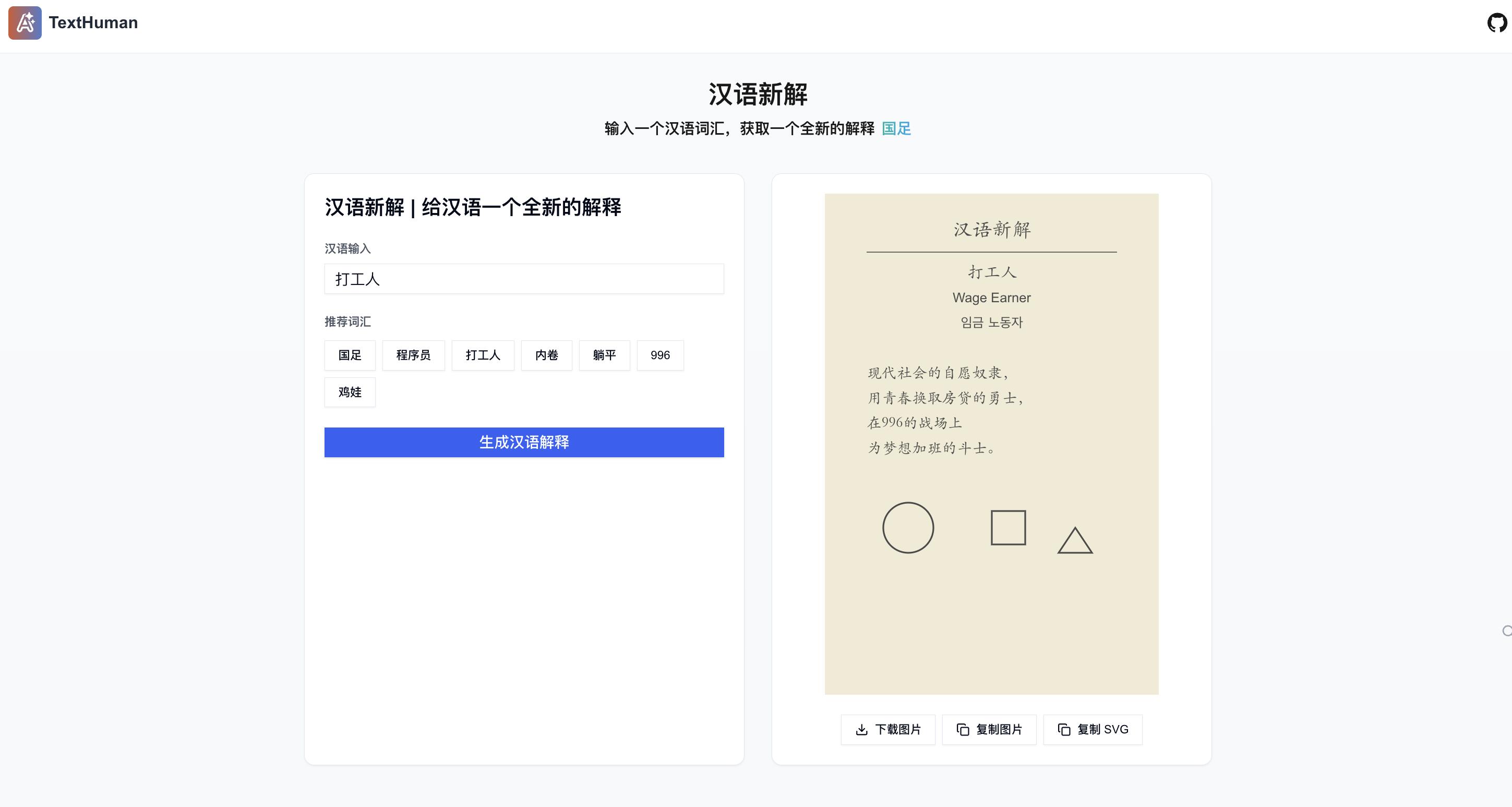
发表于 2024年9月12日1年前 最近有个汉语新解比较火,看了下基本是 Prompt 工程就可以解决 基于 Claude3.5 Sonnet 的能力, 做了一个在线版本的汉语新解服务,可以针对汉字词语做出非常有意思的解释,生成优雅美观的图片 在线体验地址: https://texthuman.ai/ 项目地址: https://github.com/tonyljx/TextWordExplain?tab=readme-ov-file 目前可以在线免费使用,求大家不要狂刷接口,怕账单爆炸了哈哈,如果账单爆炸可能就得限流或者做其他限制了 特点 无需注册登录即可使用 支持自部署:项目开源,复制.env.example 后,填入 Cluade API Key 即可部署 基于 Cluade3.5 APi 的 Prompt 模板, 配置灵活, 可以自定义系统 Prompt, 实现其他场景的 SVG 或者其他应用(吐槽) 参考 李继刚的 Prompt 模板 项目预览
最近有个汉语新解比较火,看了下基本是 Prompt 工程就可以解决 基于 Claude3.5 Sonnet 的能力, 做了一个在线版本的汉语新解服务,可以针对汉字词语做出非常有意思的解释,生成优雅美观的图片
在线体验地址: https://texthuman.ai/
项目地址: https://github.com/tonyljx/TextWordExplain?tab=readme-ov-file
目前可以在线免费使用,求大家不要狂刷接口,怕账单爆炸了哈哈,如果账单爆炸可能就得限流或者做其他限制了
特点
参考
项目预览