发表于 2024年9月24日1年前 上一篇帖子:我做了这个工具,有 Github 账号就能写博客和日记, 写的时候我其实刚开坑,当时只完成了最简单的Github 授权登陆和把你在这个网站上发布的内容自动同步到 Github。 这几天每天用 Cursor 写到半夜,终于这个产品的开发工作几乎要 100%完成了。无需登录注册、授权 Github 即可使用(只会请求公开 repo 权限)。 你可以: 1.随时记录 打开网页写下灵感、博客。每次更改都会立刻同步到 Github 。 2.Markdown + 本地拖拽上传图片 你可以使用 Markdown 、即时预览 ,并且从本地拖拽上传图片,你的图片也会保存在 Github ,你还可以用按钮编辑、删除内容,每次编辑痕迹都会给 Github 提交 commit 。 (然后我发现这功能很适合当图床,我现在的 V 站配图都是拖拽+生成链接插入的,以前都去 imgur 或者野鸡图床) 3.个人公开主页 博客如果不能发给别人看,就没有意义了。所以这是我最迫切、但也是昨天才完成的功能。 在Tinymind写了博客或者想法,使用 tinymind.me/[你的 Github 名]就可以看到你的公开主页。 比如我的是:tinymind.me/mazzzystar 最重要的是数据安全 你的数据完全存储在你 Github 的tinymind-blog这个 repo 下,独立于 Tinymind 网站,之后改成你自己的域名或者迁移数据都很方便。 最后,开源地址是: https://github.com/mazzzystar/tinymind 希望它真的能不想折腾域名/hexo/hugo 的人,专注于写作和记录本身。
上一篇帖子:我做了这个工具,有 Github 账号就能写博客和日记, 写的时候我其实刚开坑,当时只完成了最简单的Github 授权登陆和把你在这个网站上发布的内容自动同步到 Github。
这几天每天用 Cursor 写到半夜,终于这个产品的开发工作几乎要 100%完成了。无需登录注册、授权 Github 即可使用(只会请求公开 repo 权限)。
你可以:
1.随时记录
打开网页写下灵感、博客。每次更改都会立刻同步到 Github 。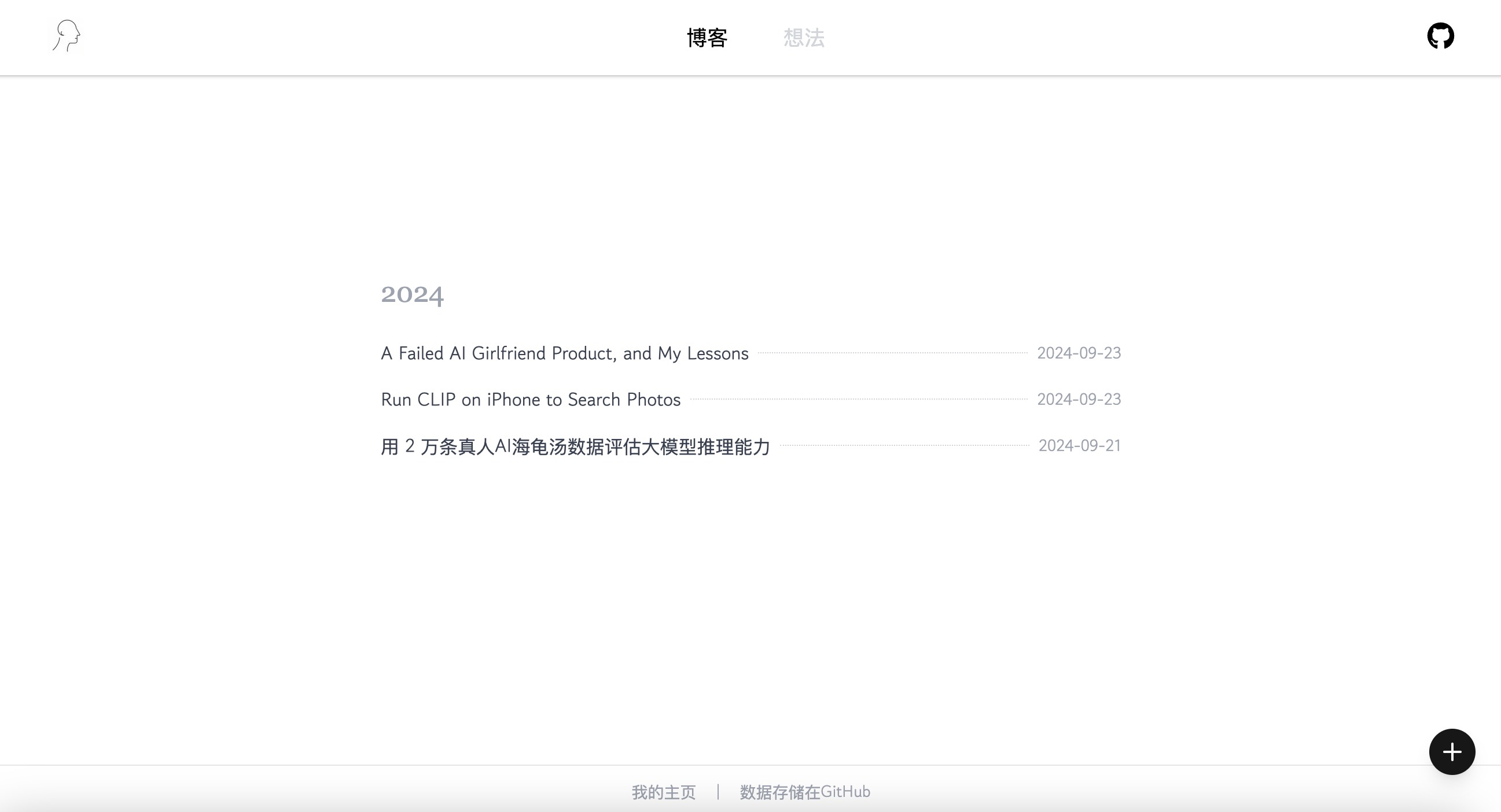
2.Markdown + 本地拖拽上传图片
你可以使用 Markdown 、即时预览 ,并且从本地拖拽上传图片,你的图片也会保存在 Github ,你还可以用按钮编辑、删除内容,每次编辑痕迹都会给 Github 提交 commit 。
(然后我发现这功能很适合当图床,我现在的 V 站配图都是拖拽+生成链接插入的,以前都去 imgur 或者野鸡图床)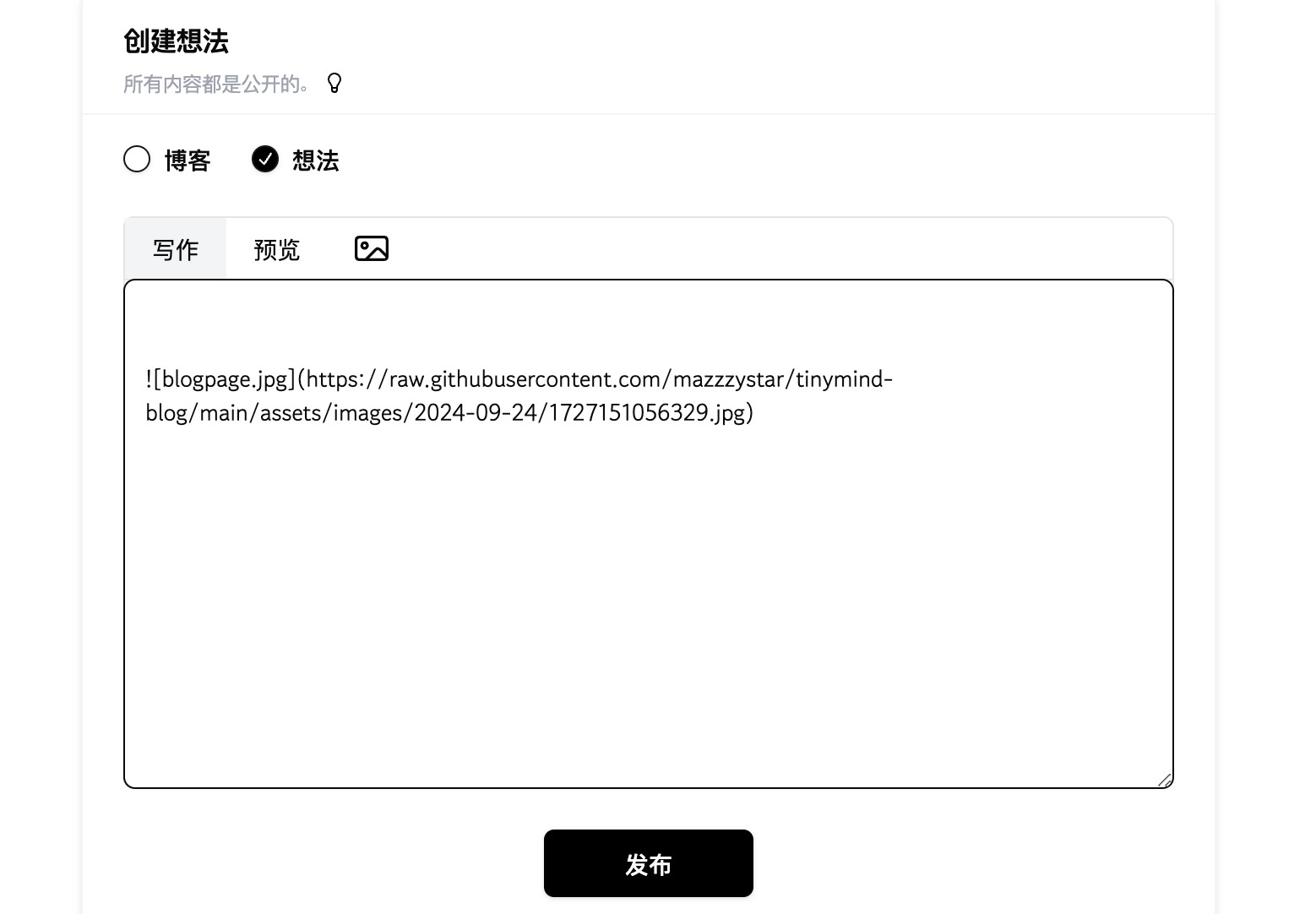
3.个人公开主页
博客如果不能发给别人看,就没有意义了。所以这是我最迫切、但也是昨天才完成的功能。
在Tinymind写了博客或者想法,使用 tinymind.me/[你的 Github 名]就可以看到你的公开主页。
比如我的是:tinymind.me/mazzzystar
最重要的是数据安全
你的数据完全存储在你 Github 的
tinymind-blog这个 repo 下,独立于 Tinymind 网站,之后改成你自己的域名或者迁移数据都很方便。最后,开源地址是: https://github.com/mazzzystar/tinymind
希望它真的能不想折腾域名/hexo/hugo 的人,专注于写作和记录本身。