不知道是不是人们都觉得用的起 macOS 的都买得起 iPad 啊,一直都没有可以在 Apple M1 系列上实现 Android 平板作为扩展屏的方案
(咩咩买 mac 是工作需要,靠这电脑吃饭的,花了 13899 虽然非常贵但是没办法,咩咩没有钱)
使用任何设备(只要有浏览器),作为 mac 的副屏/镜像(实现 Apple 官方随航的功能),不限制平台,黑苹果也可以用的,依赖 ffmpeg ,其他系统都自带了
基于之前手搓的 http 服务 httpRandomMusic ,
这个项目实现了实时音频转码,实现了小爱音响播放音乐的自由(可以让单片机级别配置的小爱 play 增强版播放本地 nas 音乐)
写这东西主要是为了实现将之前买的辣鸡 Chromebook Duet 作为 mac 的副屏用,实现“将 Android 平板用作 Mac 的第二台显示器”,类似于 Windows 端 spacedesk 的功能,因为使用浏览器作为客户端,对目标设备没有限制,就算没有浏览器也可以直接使用视频播放器打开视频流
咩 Display
不知道是不是人们都觉得用的起 macOS 的都买得起 iPad 啊,一直都没有可以在 Apple M1 系列上实现 Android 平板作为扩展屏的方案
(咩咩买 mac 是工作需要,靠这电脑吃饭的,花了 13899 虽然非常贵但是没办法,咩咩没有钱)
使用任何设备(只要有浏览器),作为 mac 的副屏/镜像(实现 Apple 官方随航的功能),不限制平台,黑苹果也可以用的,依赖 ffmpeg ,其他系统都自带了
基于之前手搓的 http 服务 httpRandomMusic ,
这个项目实现了实时音频转码,实现了小爱音响播放音乐的自由(可以让单片机级别配置的小爱 play 增强版播放本地 nas 音乐)
写这东西主要是为了实现将之前买的辣鸡 Chromebook Duet 作为 mac 的副屏用,实现“将 Android 平板用作 Mac 的第二台显示器”,类似于 Windows 端 spacedesk 的功能,因为使用浏览器作为客户端,对目标设备没有限制,就算没有浏览器也可以直接使用视频播放器打开视频流
实测 M1 Pro 在 mjpg 情况下 3k 分辨率 60hz 只有 100ms 延迟
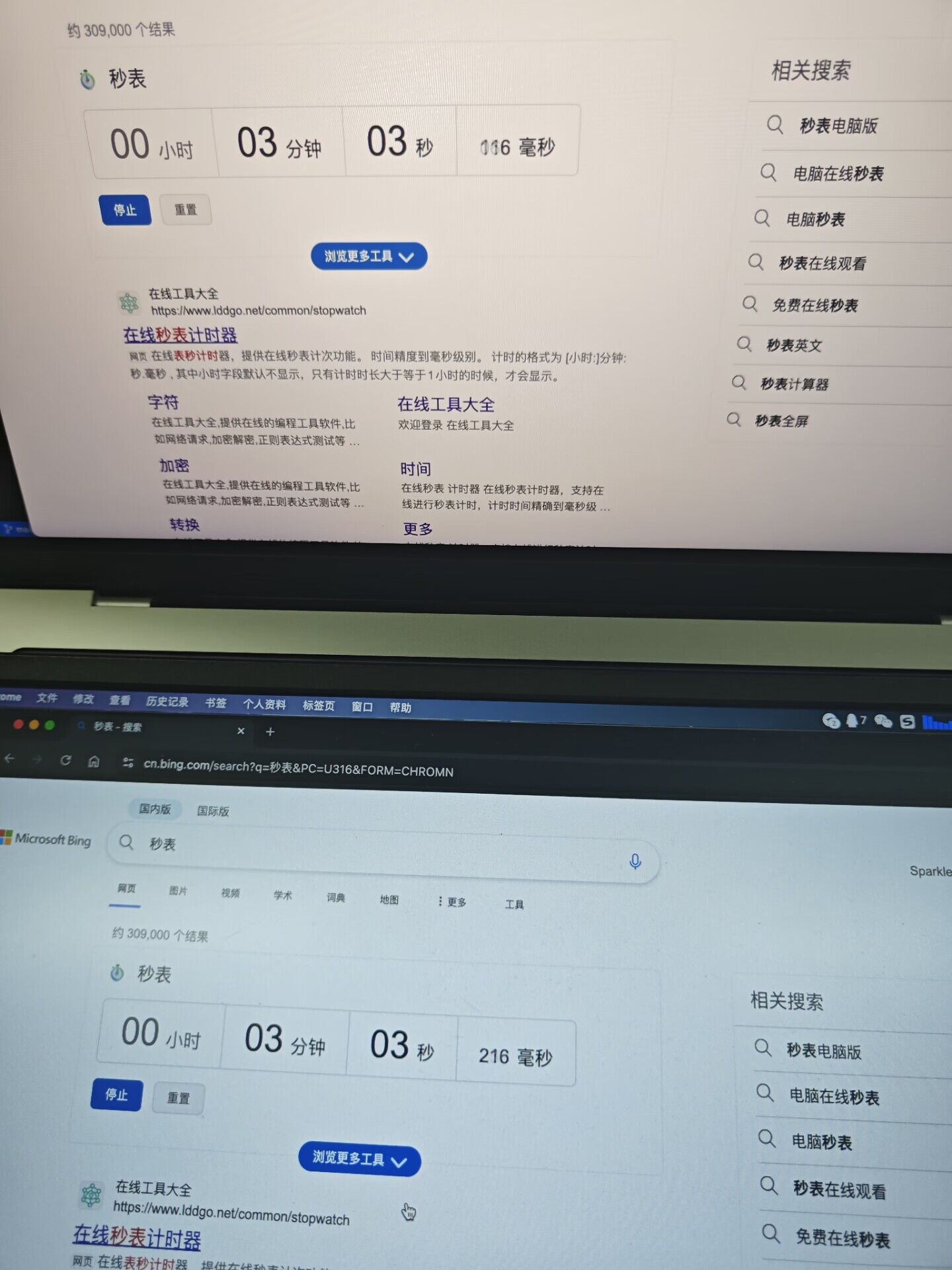
目前已支持在浏览器使用 mjpg 和 vp8 串流,h264 和 hevc 浏览器兼容性问题还没调好,播放器可以正常播放
Github 仓库: https://github.com/zanjie1999/meDisplay
演示视频: https://www.bilibili.com/video/BV1Qf25YQEj4?p=2