跳转到内容
View in the app

A better way to browse. Learn more.

彼岸论坛

A full-screen app on your home screen with push notifications, badges and more.

To install this app on iOS and iPadOS
  1. Tap the Share icon in Safari
  2. Scroll the menu and tap Add to Home Screen.
  3. Tap Add in the top-right corner.
To install this app on Android
  1. Tap the 3-dot menu (⋮) in the top-right corner of the browser.
  2. Tap Add to Home screen or Install app.
  3. Confirm by tapping Install.
欢迎抵达彼岸 彼岸花开 此处谁在 -彼岸论坛

[分享创造] 制作了一个输入多个关键词快速打开 google trends 网页查看关键词趋势的插件

发表于

使用场景:

  1. 用于 SEO 关键词查询谷歌趋势( Google Trends )。
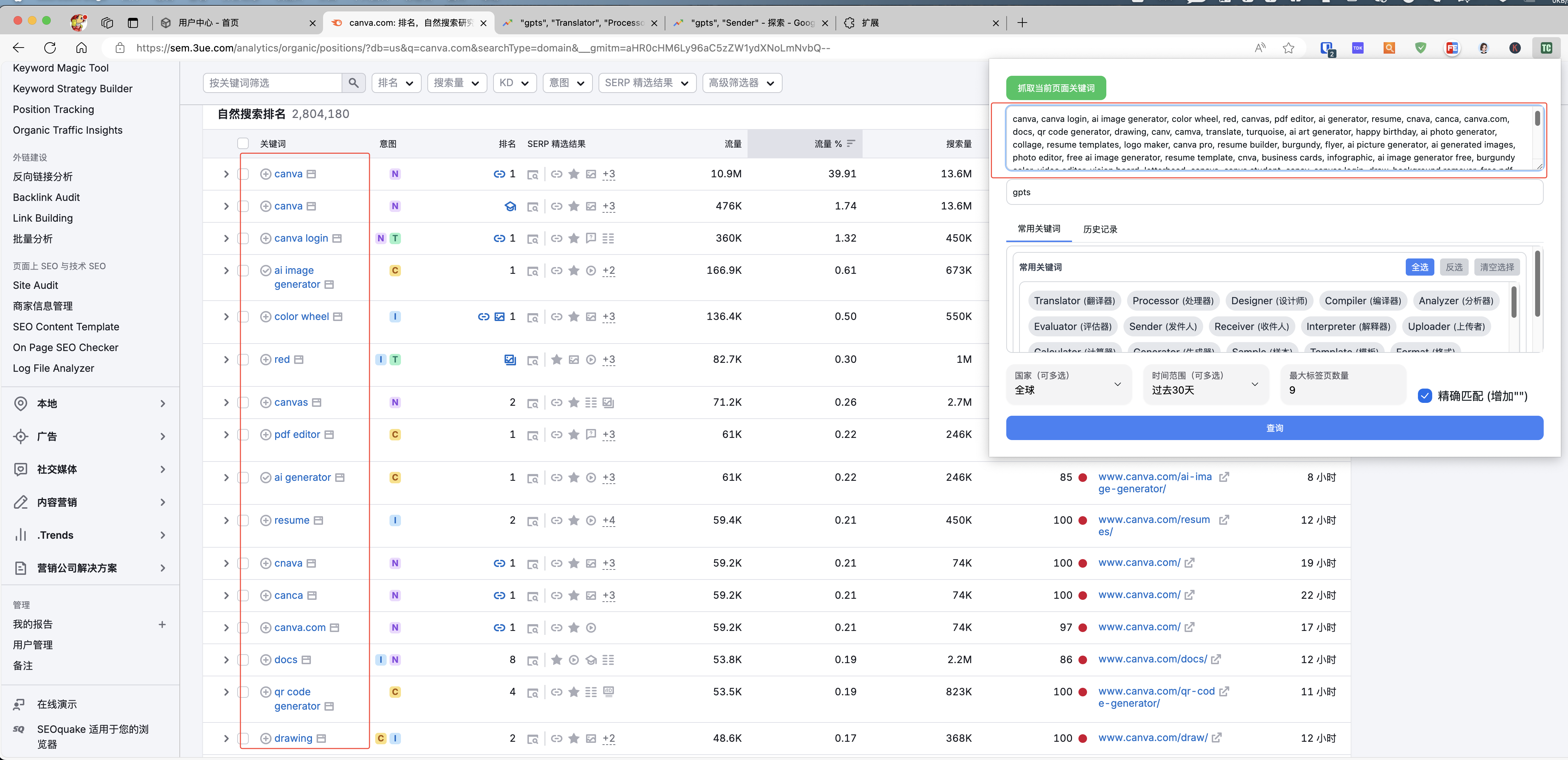
  2. Semrush.com 上快速抓取关键词并打开谷歌趋势查询趋势。

主要功能:

  1. 可输入任意多个关键词以及要参考的基准关键词,能够自动以五个一组打开谷歌趋势网页进行查询(当超过指定标签数量后,关闭一个就会新开一个)。
  2. 针对 Semrush.com3ue.com 里面的关键词列表可以实现一键抓取,省去手动复制的麻烦。

示意图: 多 tab 打开 Google Trends!

自动抓取 semrush!

目前还未上 google 插件市场,有兴趣的可以先加我微信,试用一下。如果能提供点建议或者反馈点 bug 更好

微信:ZmFmYWZhLWFp

Featured Replies

No posts to show

创建帐户或登录来提出意见

Configure browser push notifications

Chrome (Android)
  1. Tap the lock icon next to the address bar.
  2. Tap Permissions → Notifications.
  3. Adjust your preference.
Chrome (Desktop)
  1. Click the padlock icon in the address bar.
  2. Select Site settings.
  3. Find Notifications and adjust your preference.