发表于 2024年6月24日1年前 基于这个大佬的项目配置的:💎 开源 | 二次开发 RSS-Reader 使其支持识别关键字后推送 TG 与飞书通知 感谢大佬开源和耐心指导! 目前支持的论坛包括:LINUX DO 、NodeSeek 、全球主机交流论坛、V2EX 、NodeLoc 。 目前可以识别的关键词有:["抽","送","T 楼","白嫖","嫖","白给","免费",“薅”,“羊毛”,“🎁”(这个 emoji 放到 config 里面不知道能否生效,有待观察)] 检测频率为 1 分钟。检测的是新帖子而不是新评论。 效果如图: TG 频道链接:白嫖推送 建的时候考虑自用,建好了感觉自己一个人用也是可惜了,所以分享给大家。有问题的话也方便修正。
基于这个大佬的项目配置的:💎 开源 | 二次开发 RSS-Reader 使其支持识别关键字后推送 TG 与飞书通知 感谢大佬开源和耐心指导! 目前支持的论坛包括:LINUX DO 、NodeSeek 、全球主机交流论坛、V2EX 、NodeLoc 。 目前可以识别的关键词有:["抽","送","T 楼","白嫖","嫖","白给","免费",“薅”,“羊毛”,“🎁”(这个 emoji 放到 config 里面不知道能否生效,有待观察)] 检测频率为 1 分钟。检测的是新帖子而不是新评论。 效果如图: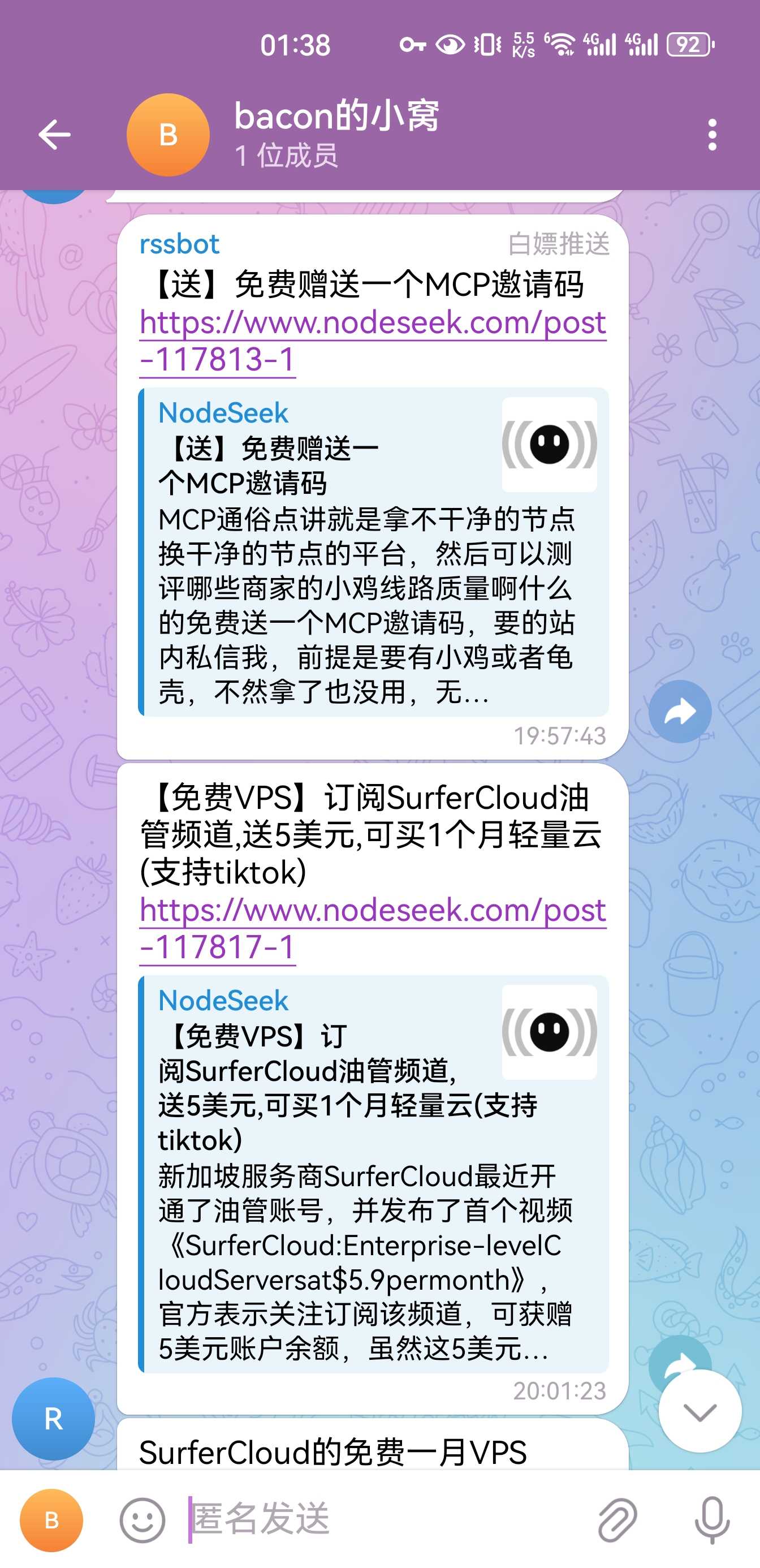 TG 频道链接:白嫖推送
建的时候考虑自用,建好了感觉自己一个人用也是可惜了,所以分享给大家。有问题的话也方便修正。
TG 频道链接:白嫖推送
建的时候考虑自用,建好了感觉自己一个人用也是可惜了,所以分享给大家。有问题的话也方便修正。