发表于 1月24日1月24日 【软件名称】大师兄影视【软件版本】3.4.0【软件大小】39MB【软件介绍】大师兄影视是一款综合性视频播放软件。以下是关于它的介绍:- 资源内容:整合了电影、 电视剧、动漫、综艺等十余万部资源,覆盖国内外热门平台内容,包括院线大片、VIP剧集、经典老片及小众佳作等,每日实时更新。- 软件功能:支持720P超清至4K蓝光自适应画质,采用P2P技术确保多人观看流畅不卡顿。具备弹幕互动、投屏、倍速播放、离线缓存等功能,还能通过关键词、类型、地区、年份等多维度筛选资源。- 平台兼容:支持安卓、iOS、电脑、平板等多设备无缝切换,登录官方账户后,观影记录、收藏内容可跨设备实时同步。- 界面设计:去广告化,启动页、播放页、暂停页均无广告,界面简洁,操作逻辑符合用户习惯。下载链接:https://pan.quark.cn/s/5bc6fee57052拿走吱一声!
【软件名称】大师兄影视


【软件版本】3.4.0
【软件大小】39MB
【软件介绍】
大师兄影视是一款综合性视频播放软件。以下是关于它的介绍:
- 资源内容:整合了电影、 电视剧、动漫、综艺等十余万部资源,覆盖国内外热门平台内容,包括院线大片、VIP剧集、经典老片及小众佳作等,每日实时更新。
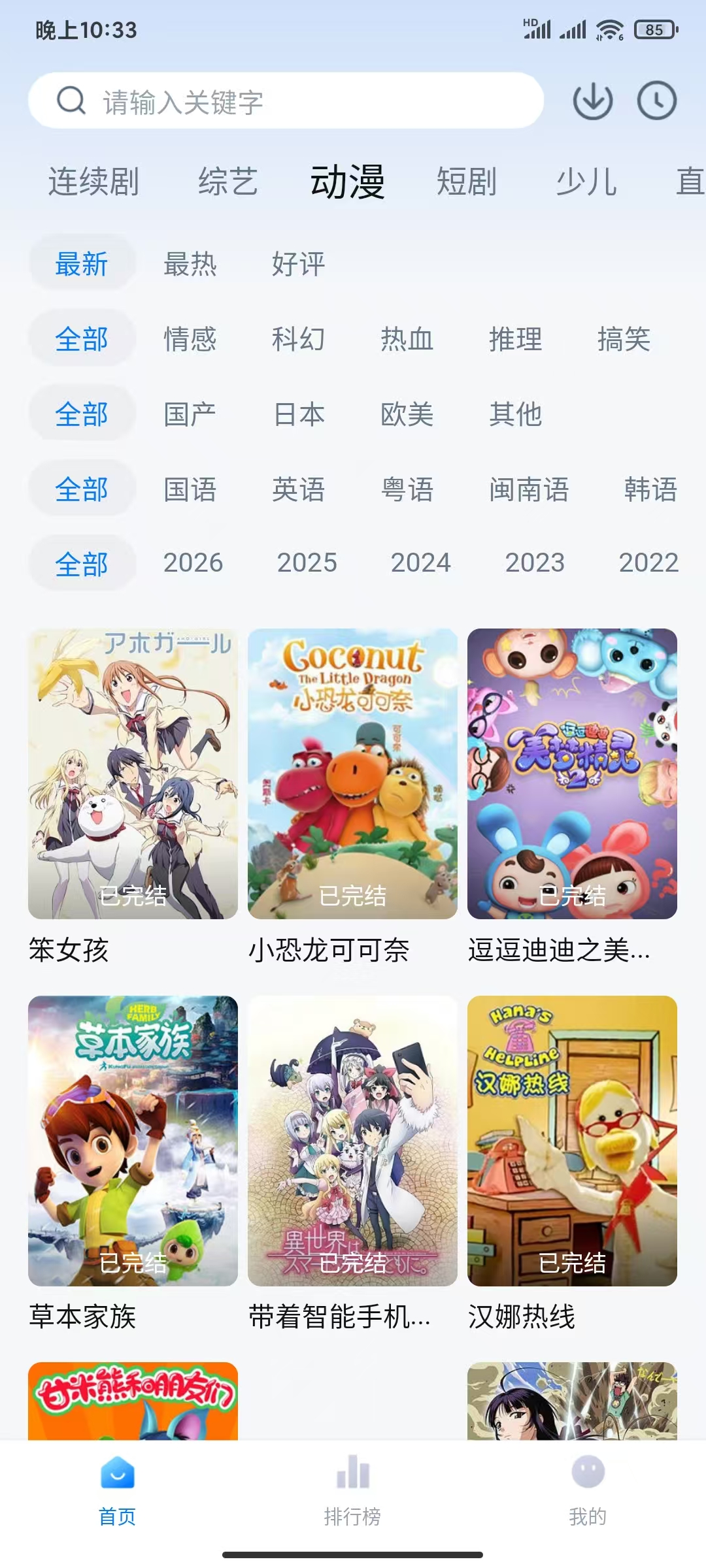
- 软件功能:支持720P超清至4K蓝光自适应画质,采用P2P技术确保多人观看流畅不卡顿。具备弹幕互动、投屏、倍速播放、离线缓存等功能,还能通过关键词、类型、地区、年份等多维度筛选资源。
- 平台兼容:支持安卓、iOS、电脑、平板等多设备无缝切换,登录官方账户后,观影记录、收藏内容可跨设备实时同步。
- 界面设计:去广告化,启动页、播放页、暂停页均无广告,界面简洁,操作逻辑符合用户习惯。
下载链接:https://pan.quark.cn/s/5bc6fee57052
拿走吱一声!