跳转到内容
View in the app

A better way to browse. Learn more.

彼岸论坛

A full-screen app on your home screen with push notifications, badges and more.

To install this app on iOS and iPadOS
  1. Tap the Share icon in Safari
  2. Scroll the menu and tap Add to Home Screen.
  3. Tap Add in the top-right corner.
To install this app on Android
  1. Tap the 3-dot menu (⋮) in the top-right corner of the browser.
  2. Tap Add to Home screen or Install app.
  3. Confirm by tapping Install.
欢迎抵达彼岸 彼岸花开 此处谁在 -彼岸论坛

阅读神器 红色笔趣阁解锁会员v5.2.7最新版

发表于

笔趣阁红色版(com.sweetpotato.biquge)是一款免费追书类阅读软件,软件中你可以免费的去享受追书的乐趣,各种不同的阅读模式和超多分类排行榜等你来获取哦,保证让你用起来相当的方便哦,特别是那些喜欢看小说和有阅读习惯的朋友都可以来试一试,用起来还是非常不错的,有需要的朋友千万不要错过了!
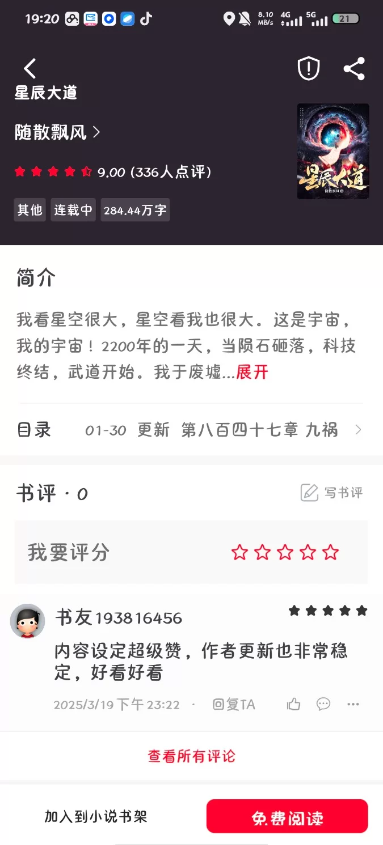
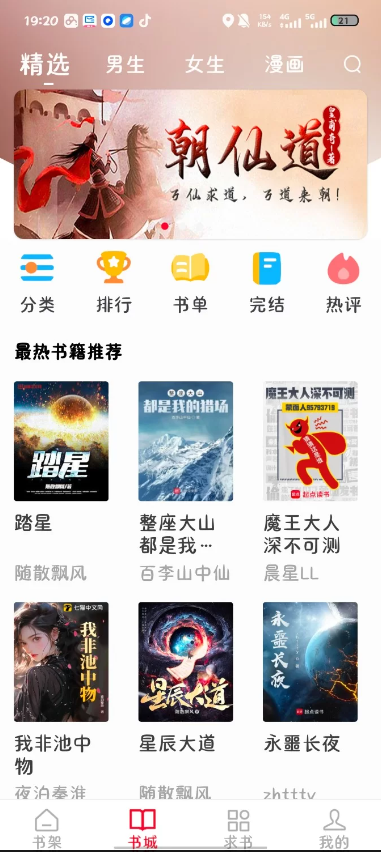
下载链接:https://xpan.com.cn/s/XBQXHN


拿走吱一声!
170531je7f6imzi7hzx8gw.png 170531mnu2m0ykom30590k.png

Featured Replies

No posts to show

创建帐户或登录来提出意见

Configure browser push notifications

Chrome (Android)
  1. Tap the lock icon next to the address bar.
  2. Tap Permissions → Notifications.
  3. Adjust your preference.
Chrome (Desktop)
  1. Click the padlock icon in the address bar.
  2. Select Site settings.
  3. Find Notifications and adjust your preference.