跳转到内容
View in the app

A better way to browse. Learn more.

彼岸论坛

A full-screen app on your home screen with push notifications, badges and more.

To install this app on iOS and iPadOS
  1. Tap the Share icon in Safari
  2. Scroll the menu and tap Add to Home Screen.
  3. Tap Add in the top-right corner.
To install this app on Android
  1. Tap the 3-dot menu (⋮) in the top-right corner of the browser.
  2. Tap Add to Home screen or Install app.
  3. Confirm by tapping Install.
欢迎抵达彼岸 彼岸花开 此处谁在 -彼岸论坛

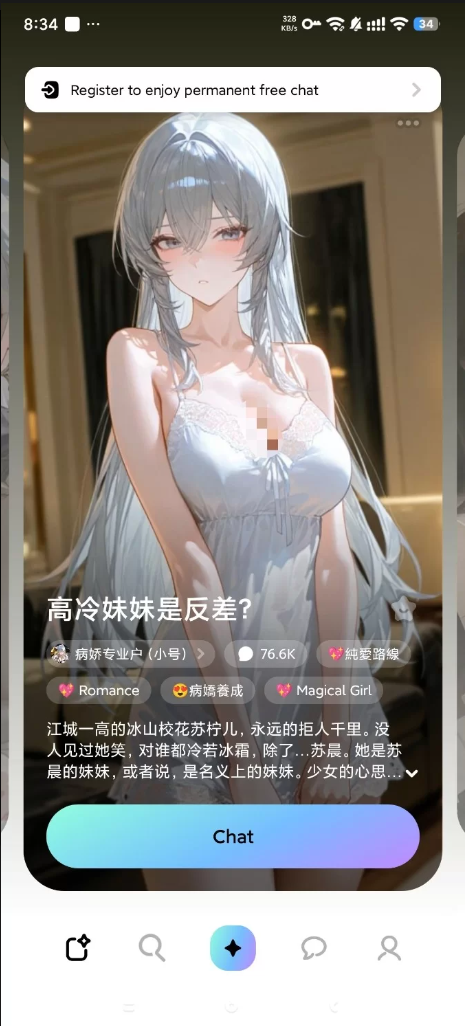
Mirai 主打无敏感词聊天~Ai女友无限制聊天

发表于

【应用名称】MiraiMind
【适用平台】安卓
【应用版本】1.1.65.1【最新版】
【应用大小】87m
【应用简介】
MiraiMind中文版是日本人气第一的AI聊天恋爱类软件,打造属于自己的专属恋人,更适合乙女体质的AI聊天软件,这个软件可以进行恋爱,可以进行对话,生成剧情故事,或者是写小说,都可以通过这个平台进行体验,拥有群聊功能和动漫角色OC功能,需要的可以下载。MiraiMind聊天软件可以免费使用,但其提供可选的高级订阅服务以解锁更多功能。

下载链接:https://pan.quark.cn/s/f1bcb04667de

拿走吱一声!
112322q7m0dwlx87bb8da9.png 112323rkfg37zm2f1q1q23.png 112323b55kk85fukvdvp6h.png


Featured Replies

No posts to show

创建帐户或登录来提出意见

Configure browser push notifications

Chrome (Android)
  1. Tap the lock icon next to the address bar.
  2. Tap Permissions → Notifications.
  3. Adjust your preference.
Chrome (Desktop)
  1. Click the padlock icon in the address bar.
  2. Select Site settings.
  3. Find Notifications and adjust your preference.