发表于 12小时前12小时 【应用名称】:百度网盘内部版【应用版本】:12.1.3【应用大小】:33.4 MB 【适用平台】:Android 【软件介绍】 百度网盘内部体验版是由官~方出品的一个精简版本,主打简洁清爽,没有任何广告内容。此版本专注于提供纯粹的网盘功能,体积仅为41MB,相比原版的192MB大大缩小。该版本去除了软件启动时的开屏广告,主界面上也移除了首页版块,包括会员推广、回忆、元气圈等功能。此外,还去除了AI助理功能和共享版块,减少了不必要的干扰和复杂性。在“我的”界面中,虽然保留了会员开通选项,但去除了大部分活动窗口和一些额外的服务板块,如收藏、分享、证件管理等。整体来看,这款体验版显得非常简洁清爽,适合喜欢简约风格的用户使用。【下载地址】:https://pan.quark.cn/s/85f6a38f317f拿走吱一声!
【应用名称】:百度网盘内部版
【应用版本】:12.1.3
【应用大小】:33.4 MB
【适用平台】:Android
【软件介绍】
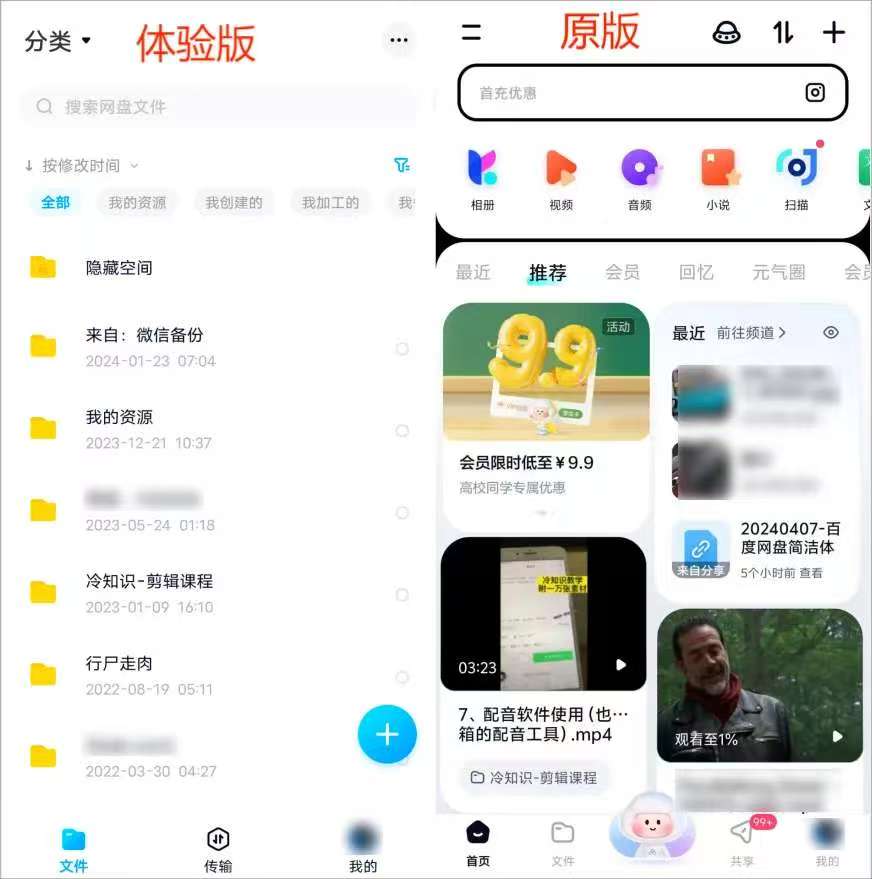
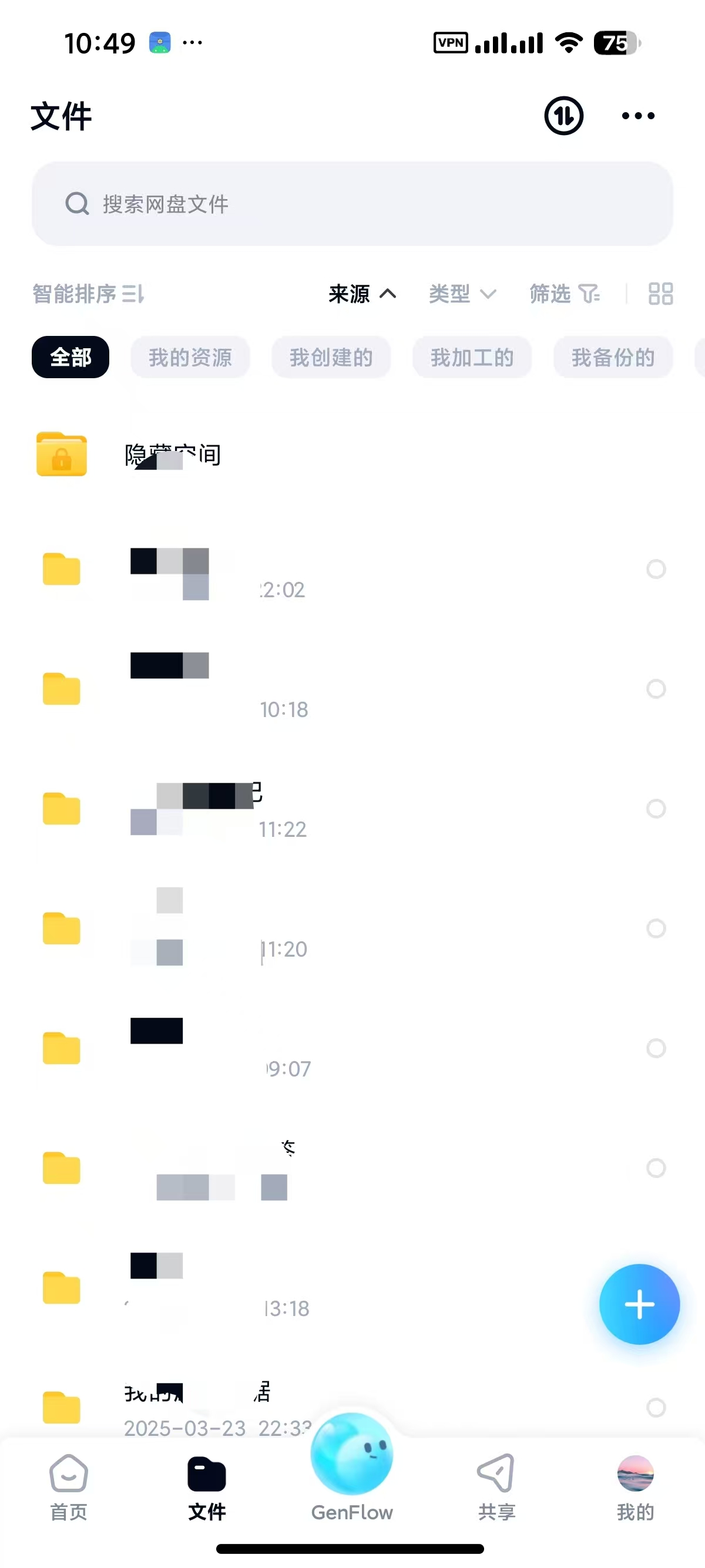
百度网盘内部体验版是由官~方出品的一个精简版本,主打简洁清爽,没有任何广告内容。此版本专注于提供纯粹的网盘功能,体积仅为41MB,相比原版的192MB大大缩小。该版本去除了软件启动时的开屏广告,主界面上也移除了首页版块,包括会员推广、回忆、元气圈等功能。此外,还去除了AI助理功能和共享版块,减少了不必要的干扰和复杂性。在“我的”界面中,虽然保留了会员开通选项,但去除了大部分活动窗口和一些额外的服务板块,如收藏、分享、证件管理等。整体来看,这款体验版显得非常简洁清爽,适合喜欢简约风格的用户使用。
【下载地址】:https://pan.quark.cn/s/85f6a38f317f
拿走吱一声!