跳转到内容
View in the app

A better way to browse. Learn more.

彼岸论坛

A full-screen app on your home screen with push notifications, badges and more.

To install this app on iOS and iPadOS
  1. Tap the Share icon in Safari
  2. Scroll the menu and tap Add to Home Screen.
  3. Tap Add in the top-right corner.
To install this app on Android
  1. Tap the 3-dot menu (⋮) in the top-right corner of the browser.
  2. Tap Add to Home screen or Install app.
  3. Confirm by tapping Install.
欢迎抵达彼岸 彼岸花开 此处谁在 -彼岸论坛

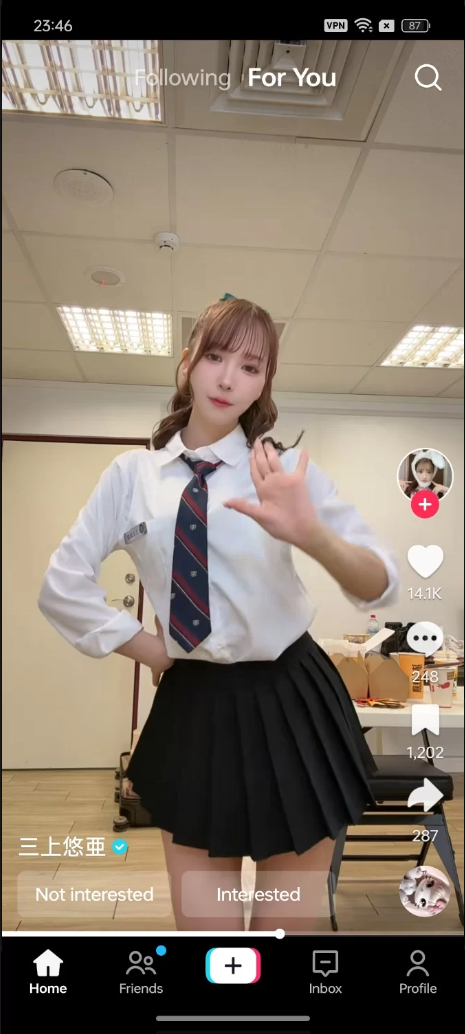
TikTok国际版抖音(44.7.1)MOD版,打开直接看国际短视频 [5+1G]

发表于

需要开加速器,插件可以用来更改地区

模组信息:
– 已移除所有广告
——将无水印的视频、图片和GIF下载到Movies/TikTok文件夹,而不是DCIM/Camera里
—— 移除了所有下载限制,你可以下载任何视频
——取消了许多其他限制
—— 申请尽可能彻底清理
– 最大压缩 + ZipAlign
– 残疾、非必要活动
– 取消对二重唱和缝制的限制
——倒带现已可在任何视频中观看

下载链接:https://pan.quark.cn/s/dce5e3f08221

拿走吱一声!

184952gh4ggs1ee585hec9.png

Featured Replies

没有可显示的帖子

创建帐户或登录来提出意见

Account

导航

搜索

Configure browser push notifications

Chrome (Android)
  1. Tap the lock icon next to the address bar.
  2. Tap Permissions → Notifications.
  3. Adjust your preference.
Chrome (Desktop)
  1. Click the padlock icon in the address bar.
  2. Select Site settings.
  3. Find Notifications and adjust your preference.