跳转到内容
View in the app

A better way to browse. Learn more.

彼岸论坛

A full-screen app on your home screen with push notifications, badges and more.

To install this app on iOS and iPadOS
  1. Tap the Share icon in Safari
  2. Scroll the menu and tap Add to Home Screen.
  3. Tap Add in the top-right corner.
To install this app on Android
  1. Tap the 3-dot menu (⋮) in the top-right corner of the browser.
  2. Tap Add to Home screen or Install app.
  3. Confirm by tapping Install.
欢迎抵达彼岸 彼岸花开 此处谁在 -彼岸论坛

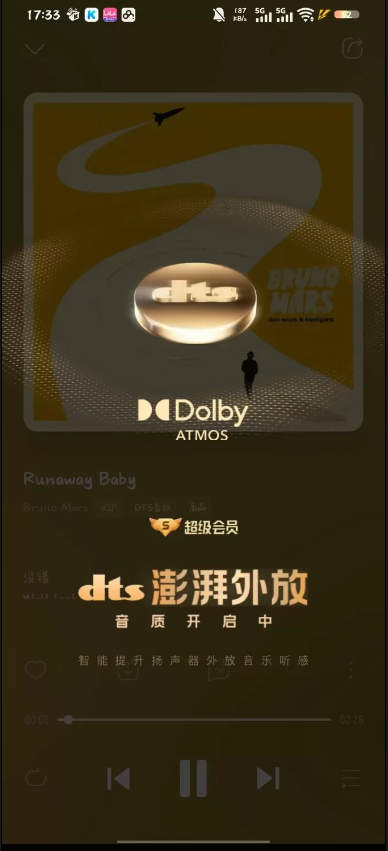
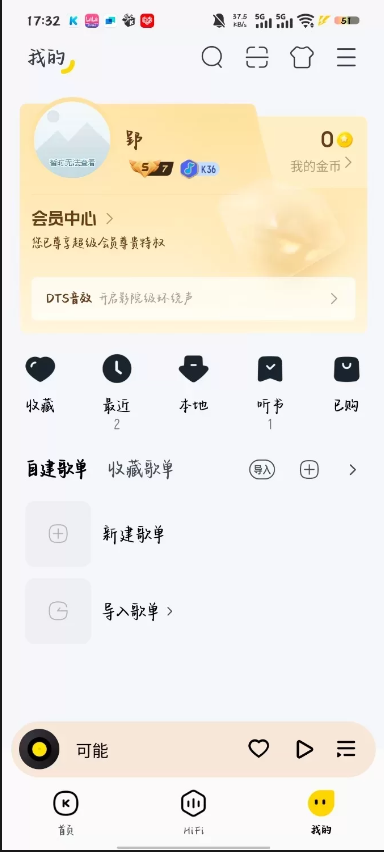
酷我音乐 v12.0.6.1 破解纯净版 | 解锁SVIP会员 去广告免更新

发表于

特别特别nice
去广告
去除不必要布局
去除版权限制
禁止广告sdk初始化
解锁会员
净化听书页面
下载不加密(至臻以下)
精简底部栏
畅听付费歌曲
解锁全部主题
解锁全部动效
解锁全部音效
更换图标可以在设置里更换
免登录
支持更换挂件(可以在设置里更换)
MV下载不加密
加强去除在后台切回前台弹出开通会员引导弹窗以及其他优化

下载链接:https://pan.quark.cn/s/00f3972d0b30

拿走吱一声!
112204fixta3ayxh4aahwt.png 112204f238pbe484p4s2s3.png

Featured Replies

没有可显示的帖子

创建帐户或登录来提出意见

Account

导航

搜索

Configure browser push notifications

Chrome (Android)
  1. Tap the lock icon next to the address bar.
  2. Tap Permissions → Notifications.
  3. Adjust your preference.
Chrome (Desktop)
  1. Click the padlock icon in the address bar.
  2. Select Site settings.
  3. Find Notifications and adjust your preference.