发表于 7月19日7月19日 6月3日最新模组:完整多语言,多架构中文+英文,arm64-v8a安装:首先安装MicroG-RE登录Google,忽略电池优化并允许后台运行,然后安装YouTube即下载链接:https://pan.quark.cn/s/22a781784e40解压码9999先下载1如果用不了改成2“必须下载”这个文件夹一定要下Bug Fixes·伪造视频流:处理webview版本中Number.toLocaleString( 的问题·隐藏广告:解决“隐藏YouTube Premium推广”影响YouTube涂鸦的问题·隐藏播放器弹出菜单组件:解决“隐藏字幕页脚”隐藏其他组件的问题·覆盖YouTubeMusic按钮:支持启动任意第三方音乐客户端·使用直播聊天功能后,后台播放画中画(PiP)会出现黑条。全屏渐变在粗体播放器布局下不显示Features·隐藏布局组件:为播放器添加“隐藏设置按钮”设置·隐藏布局组件:添加列表首选项以隐藏可展开卡片·隐藏播放器菜单组件:添加“隐藏音轨提示”、“隐藏字幕页脚”和“隐藏字幕页眉”设置
6月3日最新模组:
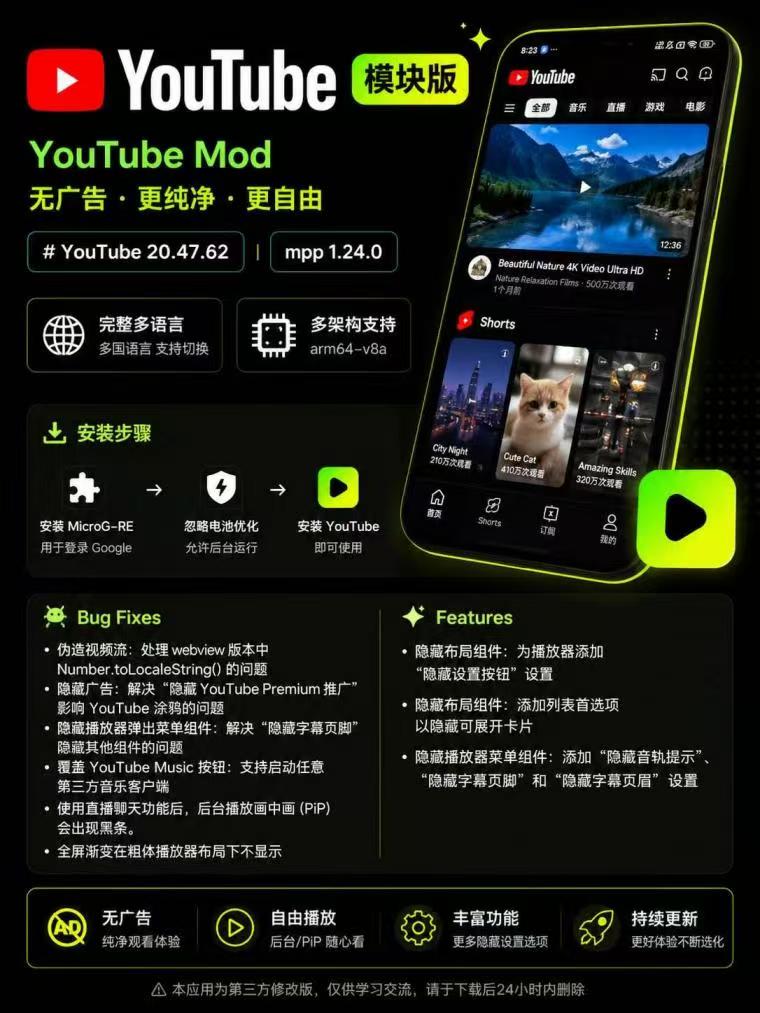
完整多语言,多架构
中文+英文,arm64-v8a
安装:首先安装MicroG-RE登录Google,忽略电池优化并允许后台运行,然后安装YouTube即
下载链接:https://pan.quark.cn/s/22a781784e40
解压码9999
先下载1如果用不了改成2
“必须下载”这个文件夹一定要下
Bug Fixes
·伪造视频流:处理webview版本中Number.toLocaleString( 的问题
·隐藏广告:解决“隐藏YouTube Premium推广”影响YouTube涂鸦的问题
·隐藏播放器弹出菜单组件:解决“隐藏字幕页脚”隐藏其他组件的问题
·覆盖YouTubeMusic按钮:支持启动任意第三方音乐客户端
·使用直播聊天功能后,后台播放画中画(PiP)会出现黑条。
全屏渐变在粗体播放器布局下不显示
Features
·隐藏布局组件:为播放器添加“隐藏设置按钮”设置
·隐藏布局组件:添加列表首选项以隐藏可展开卡片
·隐藏播放器菜单组件:添加“隐藏音轨提示”、“隐藏字幕页脚”和“隐藏字幕页眉”设置