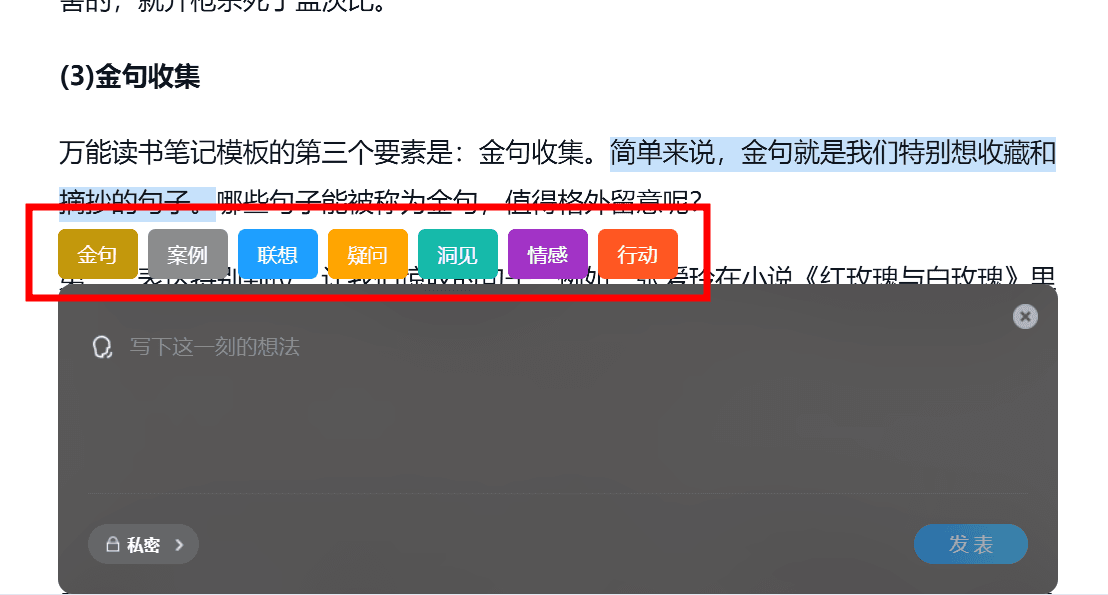
发表于 2024年6月25日1年前 平时看电子书比较多(主要用微信读书),经常会在书上做一些划线和笔记。然而,这些笔记都是按照书籍分类的,之后很少会再次翻阅,更难以结合多本书的笔记进行联想和交叉思考。 正好最近又看了一本《海绵阅读法》的书,感觉里面讲的读书和记笔记的方法非常实用,也想实践一下。 于是,就做了一个网站,https://readtick.com 该网站支持将微信读书上的笔记同步到 ReadTick (通过浏览器插件),以便集中管理和回顾笔记。同时插件还支持一些海绵阅读法的笔记标签,方便在做笔记时添加标签,实践海绵阅读法。 以下是一些插件的使用截图,欢迎有需要的朋友试用!如果有任何建议或需求,请随时反馈! (目前管理和回顾功能还比较简陋…… 官网上列了一些未来的改进方向) [查看和同步当前在读的书] [查看和同步书架上的书] [划线支持设置为金句和案例标签] [所有支持的笔记标签]
平时看电子书比较多(主要用微信读书),经常会在书上做一些划线和笔记。然而,这些笔记都是按照书籍分类的,之后很少会再次翻阅,更难以结合多本书的笔记进行联想和交叉思考。 正好最近又看了一本《海绵阅读法》的书,感觉里面讲的读书和记笔记的方法非常实用,也想实践一下。
于是,就做了一个网站,https://readtick.com 该网站支持将微信读书上的笔记同步到 ReadTick (通过浏览器插件),以便集中管理和回顾笔记。同时插件还支持一些海绵阅读法的笔记标签,方便在做笔记时添加标签,实践海绵阅读法。
以下是一些插件的使用截图,欢迎有需要的朋友试用!如果有任何建议或需求,请随时反馈! (目前管理和回顾功能还比较简陋…… 官网上列了一些未来的改进方向)
[查看和同步当前在读的书]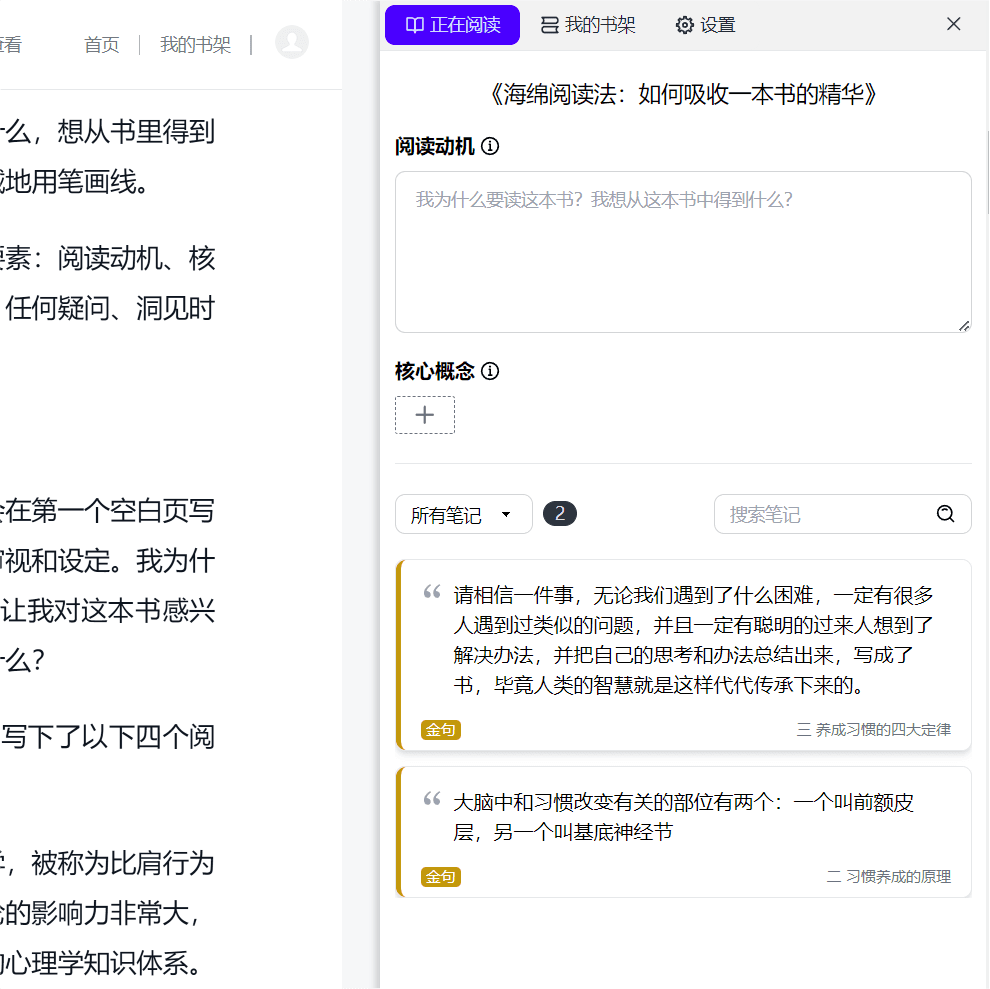
[查看和同步书架上的书]
[划线支持设置为金句和案例标签]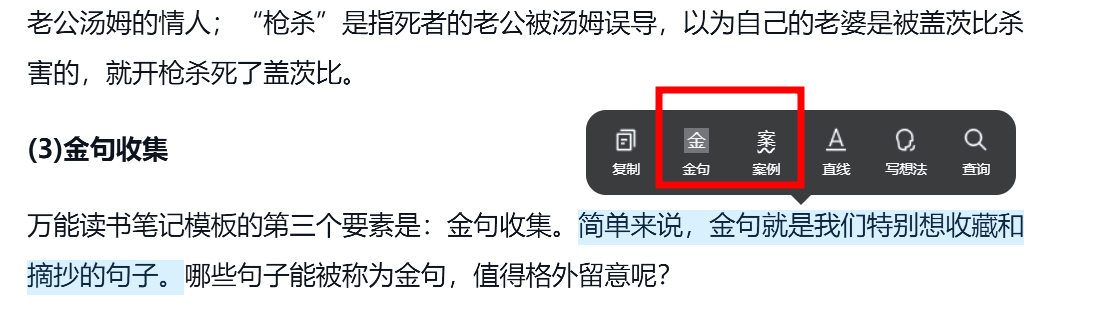
[所有支持的笔记标签]