跳转到内容
View in the app

A better way to browse. Learn more.

彼岸论坛

A full-screen app on your home screen with push notifications, badges and more.

To install this app on iOS and iPadOS
  1. Tap the Share icon in Safari
  2. Scroll the menu and tap Add to Home Screen.
  3. Tap Add in the top-right corner.
To install this app on Android
  1. Tap the 3-dot menu (⋮) in the top-right corner of the browser.
  2. Tap Add to Home screen or Install app.
  3. Confirm by tapping Install.
欢迎抵达彼岸 彼岸花开 此处谁在 -彼岸论坛

[分享创造] shion 一款开源的 windows 端时间追踪软件

发表于

介绍

简介:shion 是一款时间追踪软件,用它来记录你日常生活的片段

官网: https://shion.app/zh/

项目地址: https://github.com/shion-app/shion

用户人群

  • 我需要类似番茄时钟的软件,记录学习或是专注一件事的开销
  • 我需要自动记录软件使用时间的软件,记录编程或是游戏的时长
  • 我需要拥有日记功能的软件,能让我回顾往事

功能

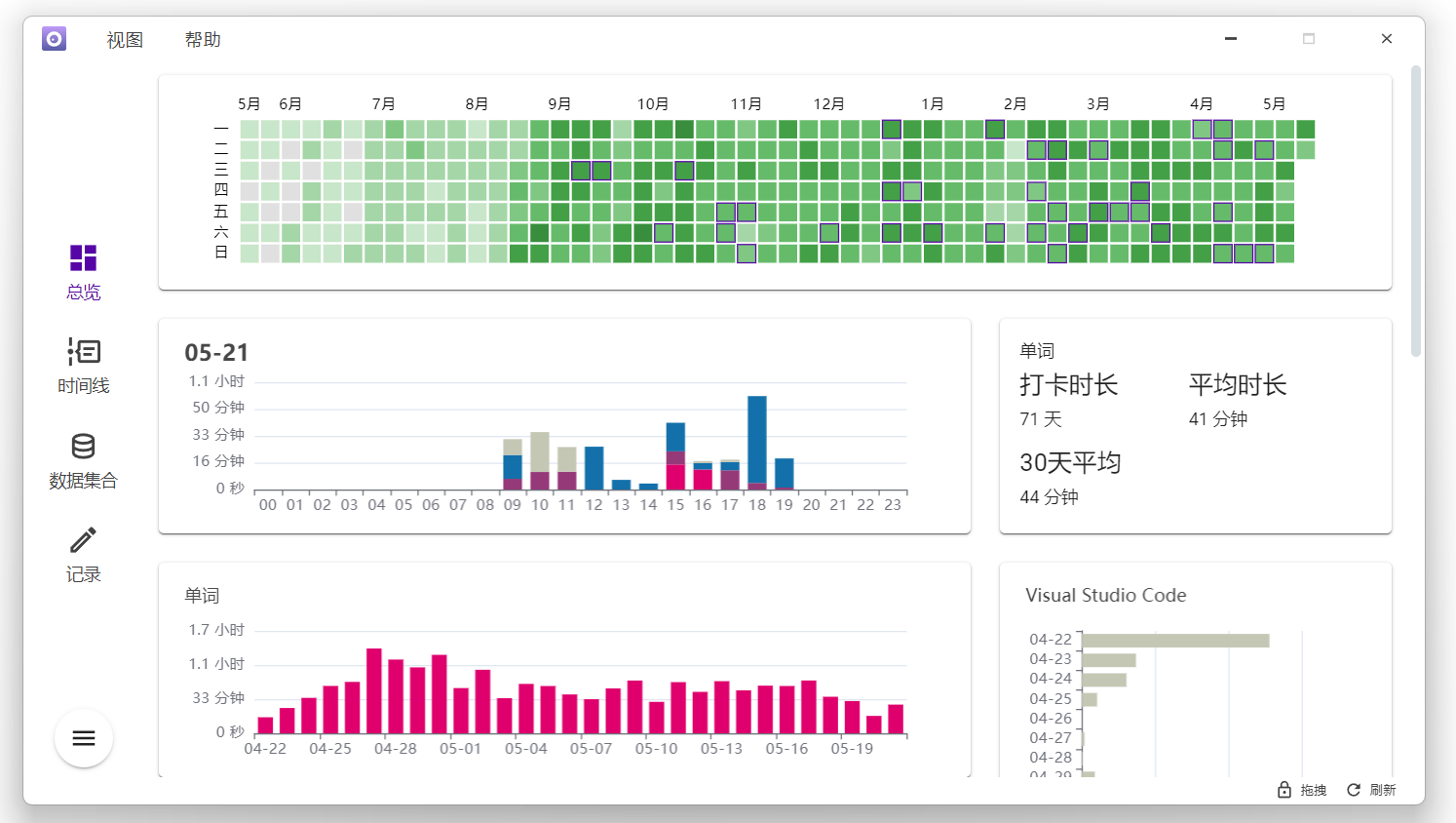
  • 📊自定义数据卡片( github 风格一年概览、30 天单项数据柱状图、每日 24 小时活动展示)
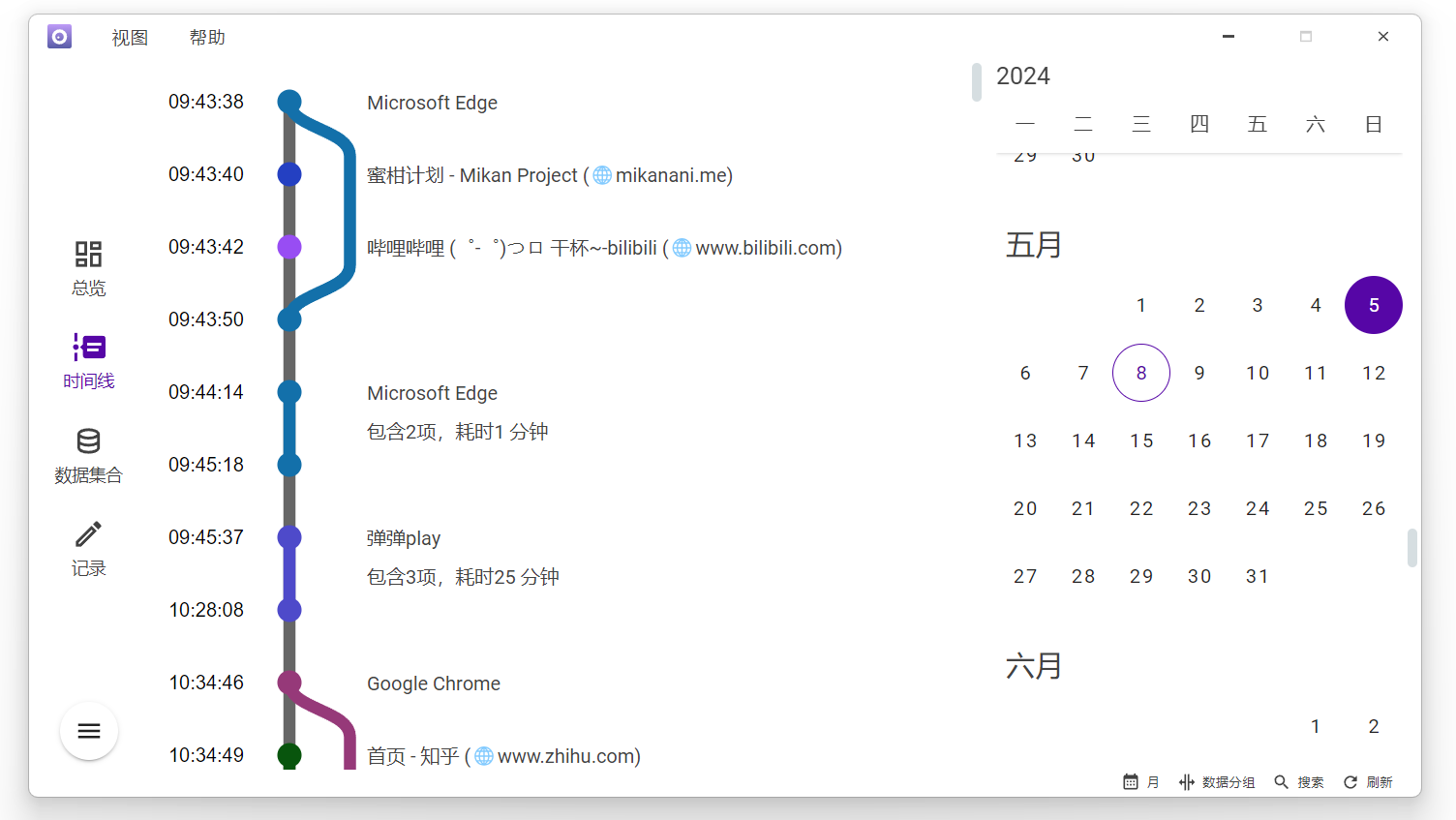
  • 📅时间线+日历
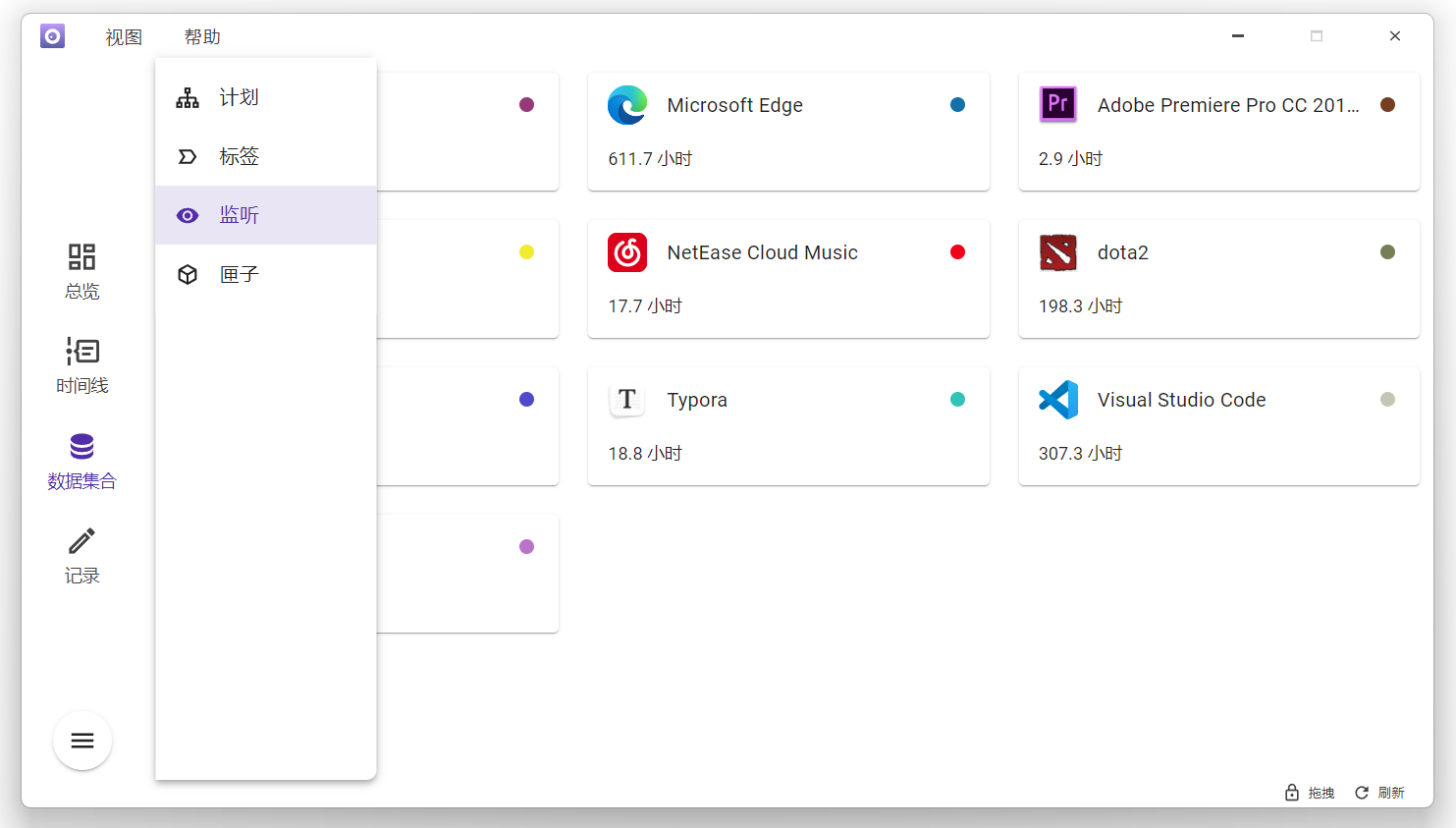
  • 👀自动监听程序使用时间(键盘、鼠标、音频)
  • 🌐同步浏览器历史( Google Chrome 、Microsoft Edge 、Firefox )
  • 🏷️手动记录
  • 📖日记

截图

  • 通过自定义图表,展示活动状态 overview.png

  • 时间线配合日历,展示每日活动详情 timeline.png

  • 自动监听软件活动 monitor.png

Featured Replies

No posts to show

创建帐户或登录来提出意见

Configure browser push notifications

Chrome (Android)
  1. Tap the lock icon next to the address bar.
  2. Tap Permissions → Notifications.
  3. Adjust your preference.
Chrome (Desktop)
  1. Click the padlock icon in the address bar.
  2. Select Site settings.
  3. Find Notifications and adjust your preference.