发表于 2024年7月2日1年前 先不废话,直接上领取地址: https://xinghuo.xfyun.cn/sparkapi?scr=true 吐槽一下,Spark Max 版本的 1 亿 tokens ,之前如果 领取过免费的一些额度,现在不能再领取了!简直被刺老用户!!!只能多注册几个号来薅。 Spark Lite 版本不受影响,单个 appid 有 2QPS ,甚至可以多新建几个 APPID 来增大 QPS !!! Spark Max 版本: Spark Lite 版本 另外讯飞星火大模型的 API 也支持 openAI API 格式了(终于兼容了,市面上少有的头铁大模型,适配了一堆模型没有不支持 openAI API 格式了,除了 Google ), 昨天吭哧在发布simple-one-api发布了 v0.9.0 ,顺便支持支持了讯飞星火新版本 4.0Ultra 以及其 OpenAI API 格式。项目地址: https://github.com/fruitbars/simple-one-api 可以两种方式进行配置: 采用星火 websocket 接口接入 文档地址: https://www.xfyun.cn/doc/spark/Web.html { "server_port": ":9099", "debug": false, "load_balancing": "random", "services": { "xinghuo": [ { "models": ["4.0Ultra"], "enabled": true, "credentials": { "appid": "xxx", "api_key": "xxx", "api_secret": "xxx" }, "limit": { "qps":2, "timeout": 10 } } ] } } 采用 OpenAI API 接口接入 https://www.xfyun.cn/doc/spark/HTTP%E8%B0%83%E7%94%A8%E6%96%87%E6%A1%A3.html 注意这里的 api_key 是将星火控制台的 api_key 和 api_secret 用:拼接起来 { "server_port": ":9099", "log_level": "dev", "debug": false, "load_balancing": "random", "services": { "openai": [ { "models": ["4.0Ultra"], "enabled": true, "credentials": { "api_key": "xxx" }, "limit": { "qps":2, "timeout": 10 } } ] } }
先不废话,直接上领取地址:
https://xinghuo.xfyun.cn/sparkapi?scr=true
吐槽一下,Spark Max 版本的 1 亿 tokens ,之前如果 领取过免费的一些额度,现在不能再领取了!简直被刺老用户!!!只能多注册几个号来薅。 Spark Lite 版本不受影响,单个 appid 有 2QPS ,甚至可以多新建几个 APPID 来增大 QPS !!!
Spark Max 版本: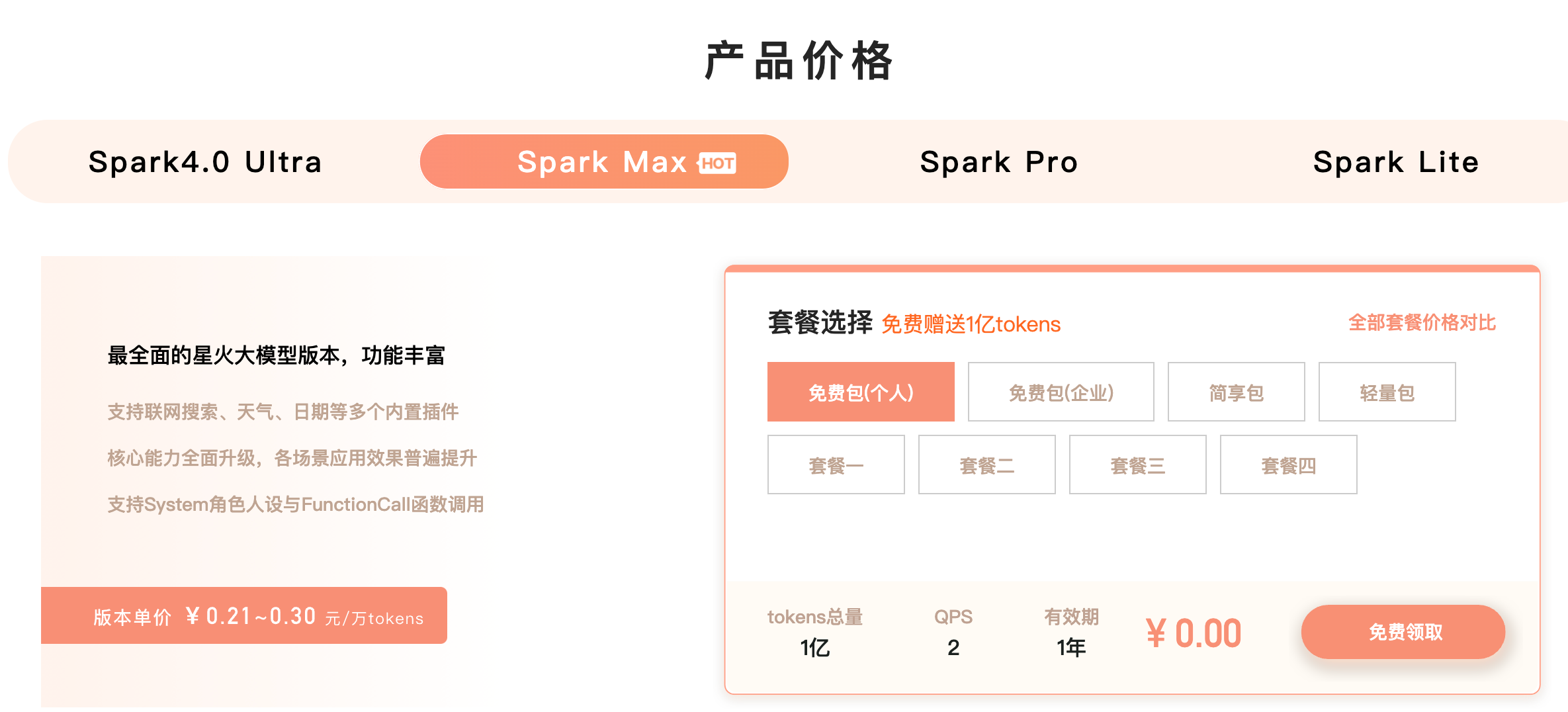
Spark Lite 版本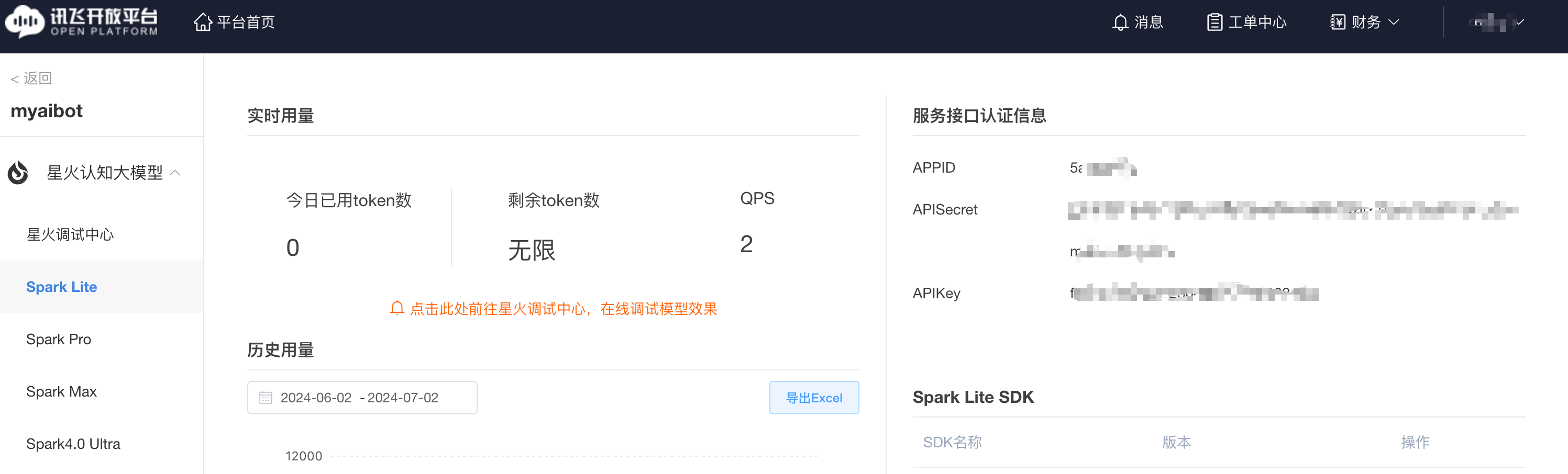
另外讯飞星火大模型的 API 也支持 openAI API 格式了(终于兼容了,市面上少有的头铁大模型,适配了一堆模型没有不支持 openAI API 格式了,除了 Google ),
昨天吭哧在发布
simple-one-api发布了 v0.9.0 ,顺便支持支持了讯飞星火新版本 4.0Ultra 以及其 OpenAI API 格式。项目地址: https://github.com/fruitbars/simple-one-api可以两种方式进行配置:
采用星火 websocket 接口接入 文档地址: https://www.xfyun.cn/doc/spark/Web.html
采用 OpenAI API 接口接入 https://www.xfyun.cn/doc/spark/HTTP%E8%B0%83%E7%94%A8%E6%96%87%E6%A1%A3.html 注意这里的 api_key 是将星火控制台的 api_key 和 api_secret 用:拼接起来