跳转到内容
View in the app

A better way to browse. Learn more.

彼岸论坛

A full-screen app on your home screen with push notifications, badges and more.

To install this app on iOS and iPadOS
  1. Tap the Share icon in Safari
  2. Scroll the menu and tap Add to Home Screen.
  3. Tap Add in the top-right corner.
To install this app on Android
  1. Tap the 3-dot menu (⋮) in the top-right corner of the browser.
  2. Tap Add to Home screen or Install app.
  3. Confirm by tapping Install.
欢迎抵达彼岸 彼岸花开 此处谁在 -彼岸论坛

[宽带症候群] 对家庭网络的监控大屏 [初始版]

发表于

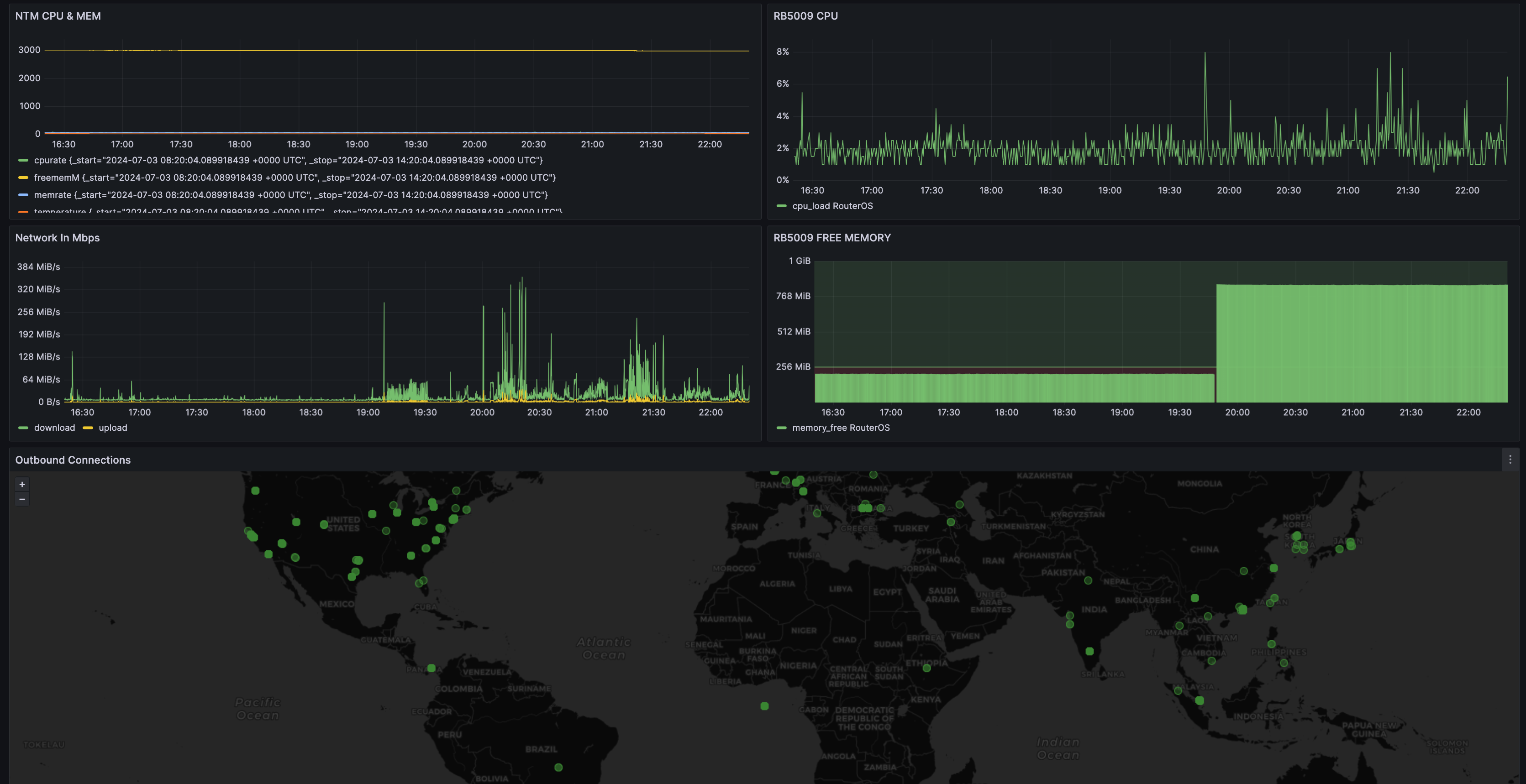
2 个月前闲着无聊做了个小玩意,先看 2 个图

查看家庭宽带的网络,数据包全球地图,路由器 CPU 负载等 monitor
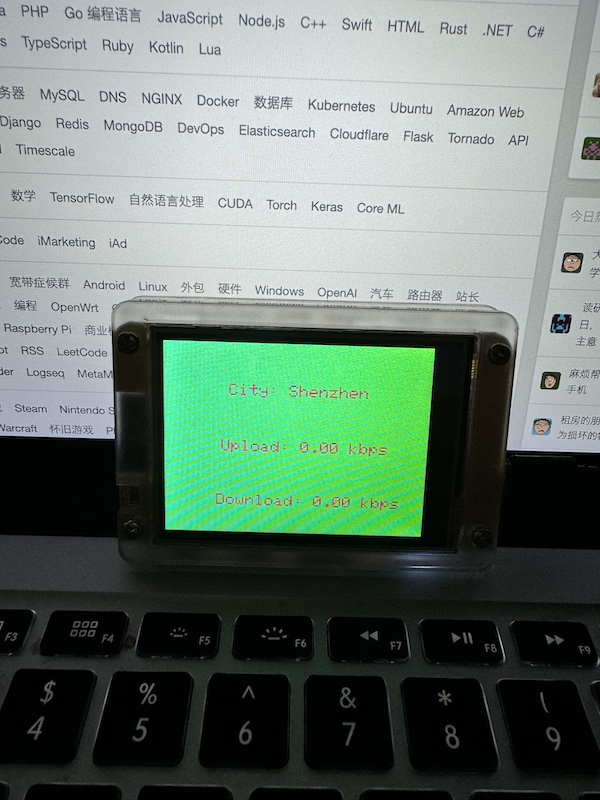
不会一直看电脑,闲着无聊可以看看开发版上的实时滚动屏幕 esp32

主要工具(软件)

  • Bash
  • Python
  • InfluxDB
  • Grafana

主要工具(硬件)

  • NTM
  • Mikrotik
  • ARM 开发板
  • ESP32 开发板

思路

  • NTM 内通过 bash 脚本(主要是 curl 和 ntmeye ),把家庭内的网络数据传输至 开发板 上的 InfluxDB 数据库中,然后通过 Grafana 展示出来。
  • 开发版内使用 python 开启了个 http 服务,去把 ip 数据转换为 城市/国家 信息,一起存入 influxdb 中。
  • Mikrotik 也就是 ROS 内, 写了个 script 去监控一些信息,通过 fetch 传到 infuxdb 中。
  • ESP32 开发板内,随便写了个程序,把数据从 influxdb 中取出来滚动显示。

后续也可以加入其他监控,比如 ubiquiti ,pfsense 等。 空了准备开源不知道有人有兴趣没 想了半天还是觉得这个节点适合

Featured Replies

No posts to show

创建帐户或登录来提出意见

Account

导航

搜索

Configure browser push notifications

Chrome (Android)
  1. Tap the lock icon next to the address bar.
  2. Tap Permissions → Notifications.
  3. Adjust your preference.
Chrome (Desktop)
  1. Click the padlock icon in the address bar.
  2. Select Site settings.
  3. Find Notifications and adjust your preference.