跳转到内容
View in the app

A better way to browse. Learn more.

彼岸论坛

A full-screen app on your home screen with push notifications, badges and more.

To install this app on iOS and iPadOS
  1. Tap the Share icon in Safari
  2. Scroll the menu and tap Add to Home Screen.
  3. Tap Add in the top-right corner.
To install this app on Android
  1. Tap the 3-dot menu (⋮) in the top-right corner of the browser.
  2. Tap Add to Home screen or Install app.
  3. Confirm by tapping Install.
欢迎抵达彼岸 彼岸花开 此处谁在 -彼岸论坛

[分享发现] 感谢京东!感谢东哥!我的西昊 S300 椅子退货成功

发表于

前贴: https://www.v2ex.com/t/1054024

花了几千块买的西昊椅子才坐几天就出现各种问题,西昊只修不退,京东客服与西昊沟通无果,最后是京东专员与西昊沟通解决,刚刚给我答复:特殊申请,京东优质用户同意退货,并且免费联系师傅上门拆卸打包。 2ajyPGj.png

另外问下:

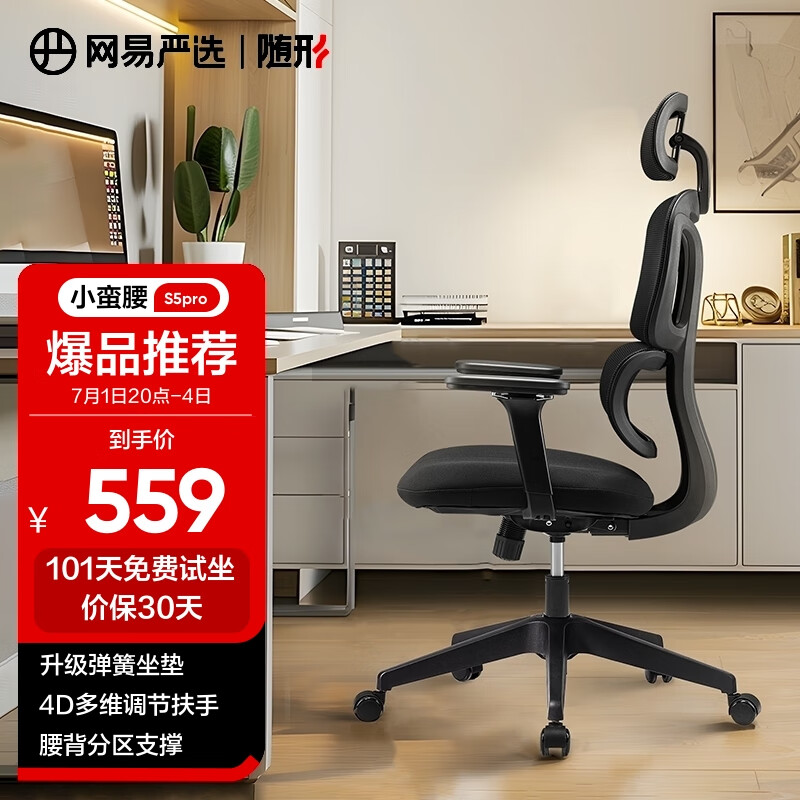
不打算买贵的椅子了,除了担忧质量并且网布坐着也不舒服,大腿肌肉疼。准备买下面这种便宜的厚垫,请问如何? gaG6KXbnuZCvSkP.jpg
Featured Replies

No posts to show

创建帐户或登录来提出意见

Account

导航

搜索

Configure browser push notifications

Chrome (Android)
  1. Tap the lock icon next to the address bar.
  2. Tap Permissions → Notifications.
  3. Adjust your preference.
Chrome (Desktop)
  1. Click the padlock icon in the address bar.
  2. Select Site settings.
  3. Find Notifications and adjust your preference.