跳转到内容
View in the app

A better way to browse. Learn more.

彼岸论坛

A full-screen app on your home screen with push notifications, badges and more.

To install this app on iOS and iPadOS
  1. Tap the Share icon in Safari
  2. Scroll the menu and tap Add to Home Screen.
  3. Tap Add in the top-right corner.
To install this app on Android
  1. Tap the 3-dot menu (⋮) in the top-right corner of the browser.
  2. Tap Add to Home screen or Install app.
  3. Confirm by tapping Install.
欢迎抵达彼岸 彼岸花开 此处谁在 -彼岸论坛

[程序员] IDEA 编译慢

发表于

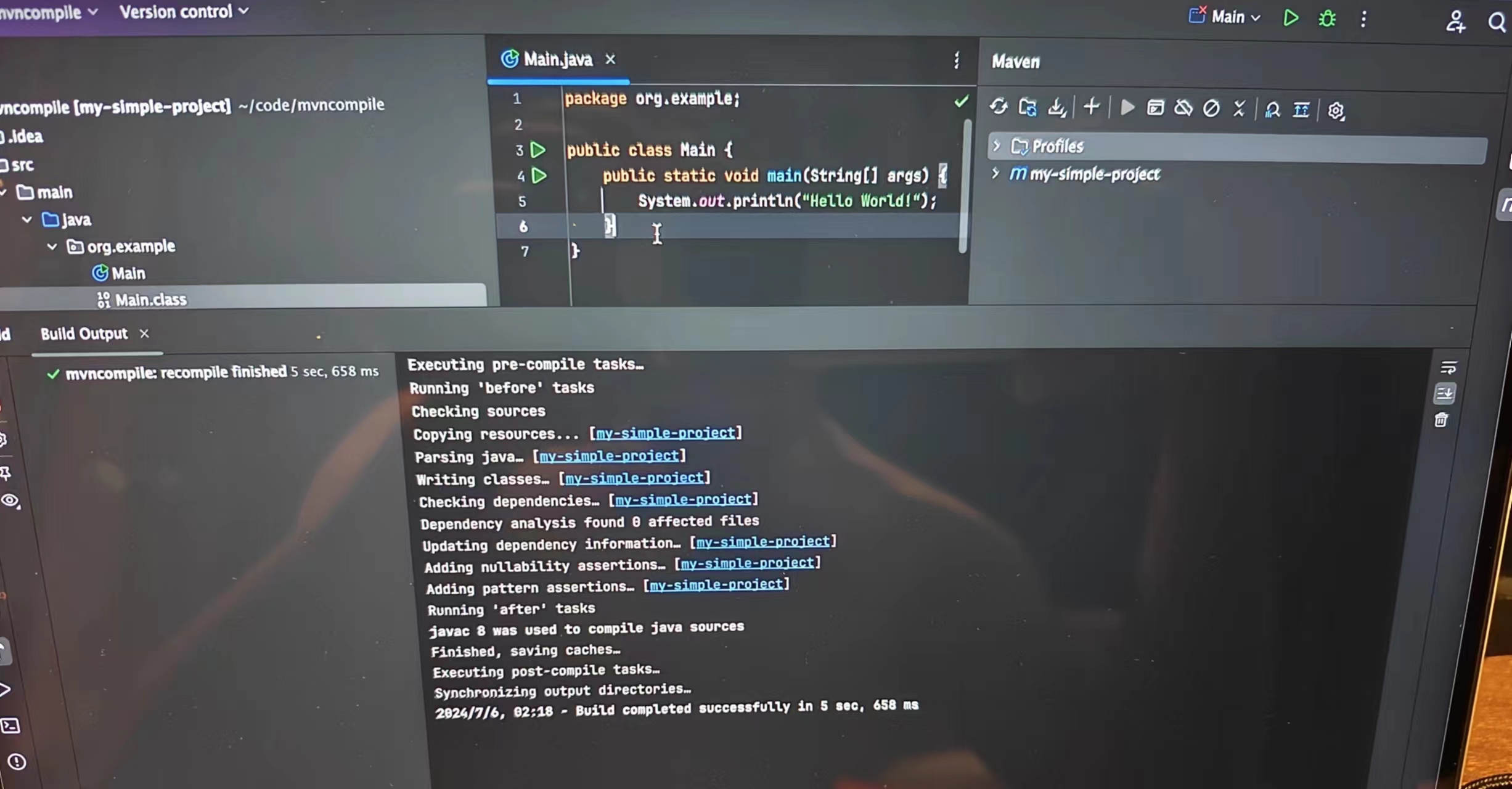
如题,第一张图是 idea 的 buid 直接编译,要 5sec 左右 9f8caded832e85e008494daf4c76a57.jpg

第二张,是 maven 的 compile 只用了 200ms 左右。

91888079a5b21da3e41883c65d23e5a.jpg

而且,在终端使用 javac 命令直接编译也是 ms 级别的,不会是用 idea 那样要 5s 。

我电脑是 macos m3pro 14 寸的,idea 安装的也是 Apple Silicon 版本的,jdk 是 amazon corretto-1.8

然后,idea 的 vmoptions 的堆内存,还有 idea 编译设置的堆内存我也都改过了,idea 直接 run 都是这么慢。

有没有大佬遇到过相关的问题的。感觉这个编译慢真的影响自己,每次要运行,都得拿起手机玩会儿.

Featured Replies

No posts to show

创建帐户或登录来提出意见

Account

导航

搜索

Configure browser push notifications

Chrome (Android)
  1. Tap the lock icon next to the address bar.
  2. Tap Permissions → Notifications.
  3. Adjust your preference.
Chrome (Desktop)
  1. Click the padlock icon in the address bar.
  2. Select Site settings.
  3. Find Notifications and adjust your preference.