跳转到内容
View in the app

A better way to browse. Learn more.

彼岸论坛

A full-screen app on your home screen with push notifications, badges and more.

To install this app on iOS and iPadOS
  1. Tap the Share icon in Safari
  2. Scroll the menu and tap Add to Home Screen.
  3. Tap Add in the top-right corner.
To install this app on Android
  1. Tap the 3-dot menu (⋮) in the top-right corner of the browser.
  2. Tap Add to Home screen or Install app.
  3. Confirm by tapping Install.
欢迎抵达彼岸 彼岸花开 此处谁在 -彼岸论坛

[宽带症候群] 2024 年 7 月 11 日湖北移动封锁了 IPV6 外能不能正常 PING 通和访问

发表于

这两天发现 WiFi 很慢,比如说应用商店下载一点速度都没有。但是抖音头条又很正常。

一开始百思不得其解,尝试过重启 Ap 、主路由器,检查了路由器的 CPU 占用率,一切都很正常。白天吃饭的时候还在想是不是路由器高温老化了?

从外网访问 WiFi 下面的设备,发现以往可以 ipv6 访问,现在怎么都连接不上。

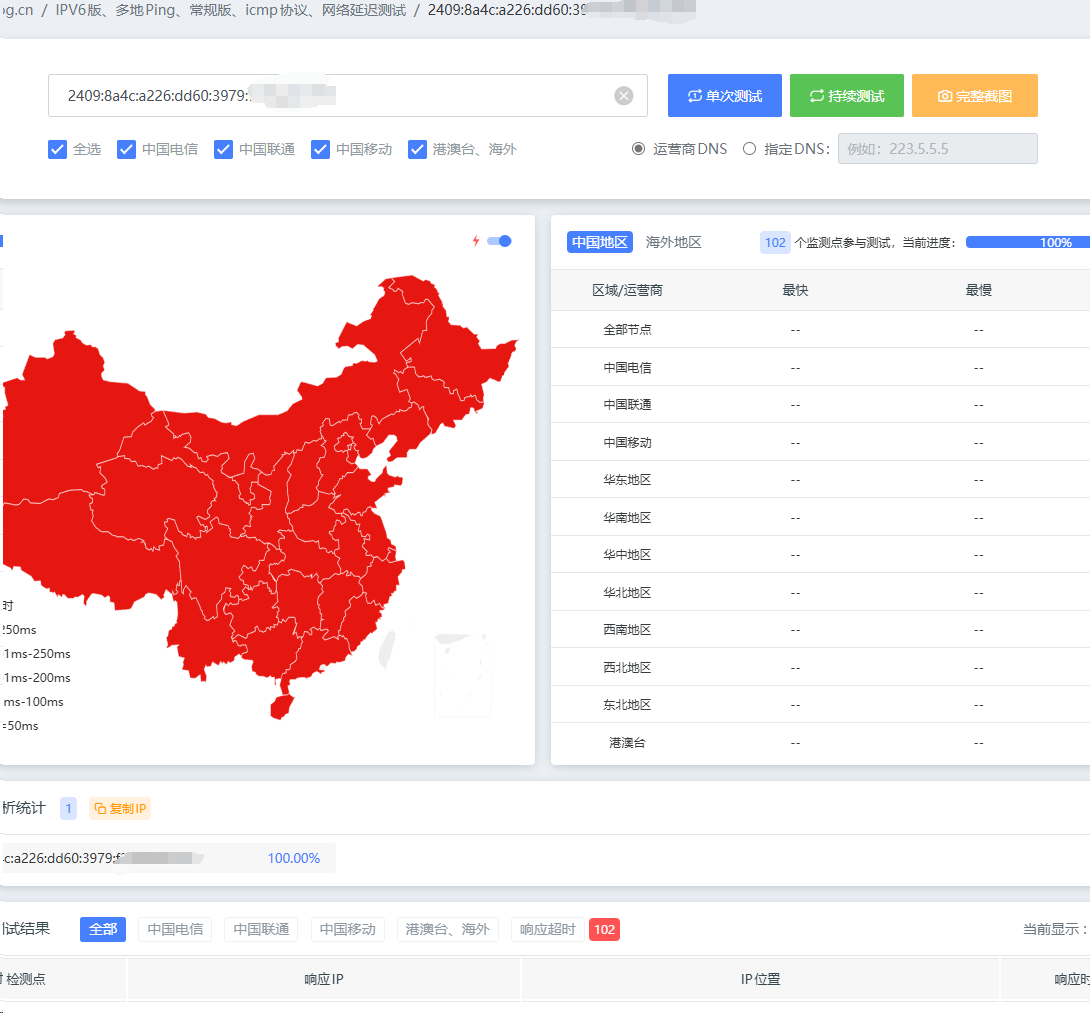
最后通过超级 ping 发现,移动宽带 ipv6 无法连接了。真该死,耽误了半小时。

下面是超级 ping 截图: 1720789989691.jpg
Featured Replies

No posts to show

创建帐户或登录来提出意见

Configure browser push notifications

Chrome (Android)
  1. Tap the lock icon next to the address bar.
  2. Tap Permissions → Notifications.
  3. Adjust your preference.
Chrome (Desktop)
  1. Click the padlock icon in the address bar.
  2. Select Site settings.
  3. Find Notifications and adjust your preference.