跳转到内容
View in the app

A better way to browse. Learn more.

彼岸论坛

A full-screen app on your home screen with push notifications, badges and more.

To install this app on iOS and iPadOS
  1. Tap the Share icon in Safari
  2. Scroll the menu and tap Add to Home Screen.
  3. Tap Add in the top-right corner.
To install this app on Android
  1. Tap the 3-dot menu (⋮) in the top-right corner of the browser.
  2. Tap Add to Home screen or Install app.
  3. Confirm by tapping Install.
欢迎抵达彼岸 彼岸花开 此处谁在 -彼岸论坛

[生活] 不想上班~ 想出去骑车~~

发表于

去年 8 月离职后骑了川藏线,一起组队的大哥们,又准备今年 8 月底去骑独库公路了. 羡慕财务自由,退休有钱有闲的生活啊.

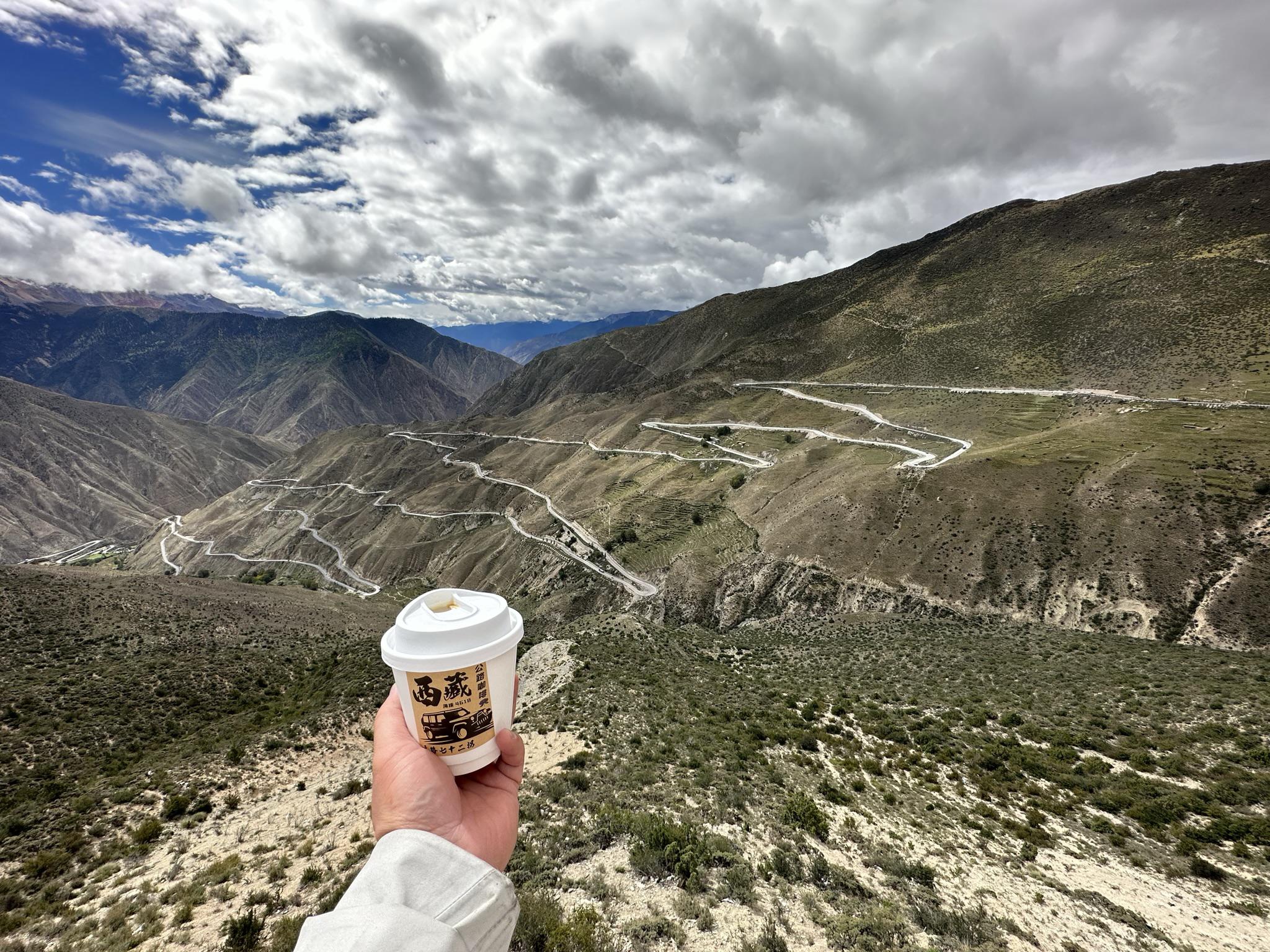
带几张去年路上的照片吧. p1 泸定兴康特大桥 p2 在鱼子西拍的雪山,没看到贡嘎的日照金山 p3 下怒江七十二拐前观景台上买的冰美式(美式不冰怎么喝) p4 理塘到巴塘的路上 p5 姊妹湖 p6 出门就看到然乌湖的彩虹 p7 多布特大桥,从巴宜到拉萨的高速公路. p8 4396 p9 和布达拉宫的合影

Featured Replies

No posts to show

创建帐户或登录来提出意见

Configure browser push notifications

Chrome (Android)
  1. Tap the lock icon next to the address bar.
  2. Tap Permissions → Notifications.
  3. Adjust your preference.
Chrome (Desktop)
  1. Click the padlock icon in the address bar.
  2. Select Site settings.
  3. Find Notifications and adjust your preference.