发表于 2024年6月18日1年前 業餘時間開發的網站,荒廢很久了,前幾天有用戶反饋才想起來有這麽一個網站,於是更新了下,配置了個獨立域名 網站很簡單,text to img,見名思意了 例如輸入 promt: score_9, score_8_up, score_7_up, BREAK, innocent and alluring, long hair, alternative vibe, beautiful eyes, freckles, medium breasts, subtle cleavage, tight body, slutty, candid picture, (cozy bedroom), off-shoulder shirt, dynamic angle, vibrant lighting, high contrast, dramatic shadows, highly detailed, detailed skin, depth of field, film grain Negative Prompt: score_1, score_2, score_3, text 結果: 網址:https://text2img.vip/ 歡迎體驗
業餘時間開發的網站,荒廢很久了,前幾天有用戶反饋才想起來有這麽一個網站,於是更新了下,配置了個獨立域名
網站很簡單,text to img,見名思意了
例如輸入 promt: score_9, score_8_up, score_7_up, BREAK, innocent and alluring, long hair, alternative vibe, beautiful eyes, freckles, medium breasts, subtle cleavage, tight body, slutty, candid picture, (cozy bedroom), off-shoulder shirt, dynamic angle, vibrant lighting, high contrast, dramatic shadows, highly detailed, detailed skin, depth of field, film grain
Negative Prompt: score_1, score_2, score_3, text
結果: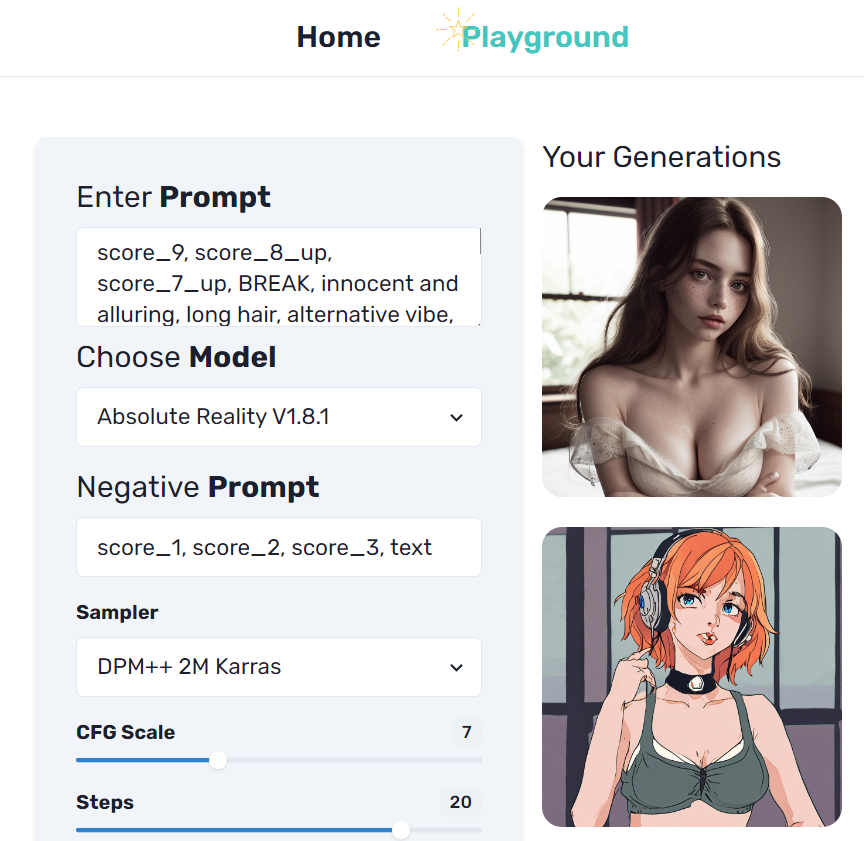
網址:https://text2img.vip/
歡迎體驗