跳转到内容
View in the app

A better way to browse. Learn more.

彼岸论坛

A full-screen app on your home screen with push notifications, badges and more.

To install this app on iOS and iPadOS
  1. Tap the Share icon in Safari
  2. Scroll the menu and tap Add to Home Screen.
  3. Tap Add in the top-right corner.
To install this app on Android
  1. Tap the 3-dot menu (⋮) in the top-right corner of the browser.
  2. Tap Add to Home screen or Install app.
  3. Confirm by tapping Install.
欢迎抵达彼岸 彼岸花开 此处谁在 -彼岸论坛

[程序员] Powershell windows 端口转发

发表于

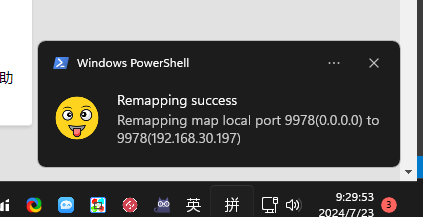
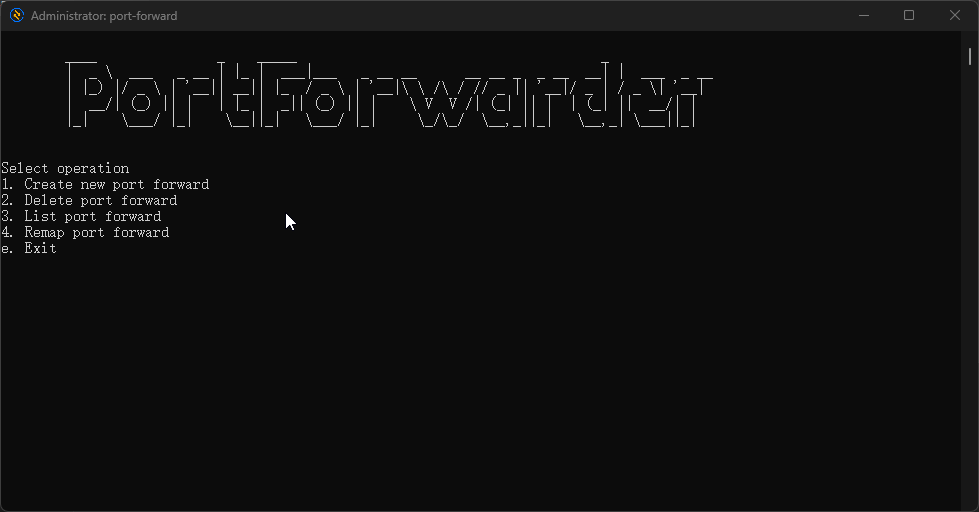
Winsows + WSL2 的环境经常有端口转发的需求,Windows 上没有找到很好用的端口转发工具,就用 Powershell 写了一个脚本,代码很简单,还挺好用,配上了通知,目前只支持 IPv4 Tcp 端口转发

Project: https://github.com/kinboyw/windows-port-forwarder

launch a3a8f5514563ea9d90fa6.png
notification 7019417152196473436f1.png

Featured Replies

没有可显示的帖子

创建帐户或登录来提出意见

Account

导航

搜索

Configure browser push notifications

Chrome (Android)
  1. Tap the lock icon next to the address bar.
  2. Tap Permissions → Notifications.
  3. Adjust your preference.
Chrome (Desktop)
  1. Click the padlock icon in the address bar.
  2. Select Site settings.
  3. Find Notifications and adjust your preference.