跳转到内容
View in the app

A better way to browse. Learn more.

彼岸论坛

A full-screen app on your home screen with push notifications, badges and more.

To install this app on iOS and iPadOS
  1. Tap the Share icon in Safari
  2. Scroll the menu and tap Add to Home Screen.
  3. Tap Add in the top-right corner.
To install this app on Android
  1. Tap the 3-dot menu (⋮) in the top-right corner of the browser.
  2. Tap Add to Home screen or Install app.
  3. Confirm by tapping Install.
欢迎抵达彼岸 彼岸花开 此处谁在 -彼岸论坛

[前端开发] [悬赏代发]nuxt 项目适配移动端(1K)和接入 wanderboat.ai(4k)

发表于

帮朋友发的帖,他没邀请码注册号,有兴趣的可以加 QQ918504629

已有后端,目前前端如下:

1

下面是需求:

时间

8 月 5 号之前!!

需求 1:手机端适配

  • 项目:nuxt 项目
  • 用到的组件库:vuetify
  • 要求:适配对话界面,登陆界面手机端
  • 预算:800-1000

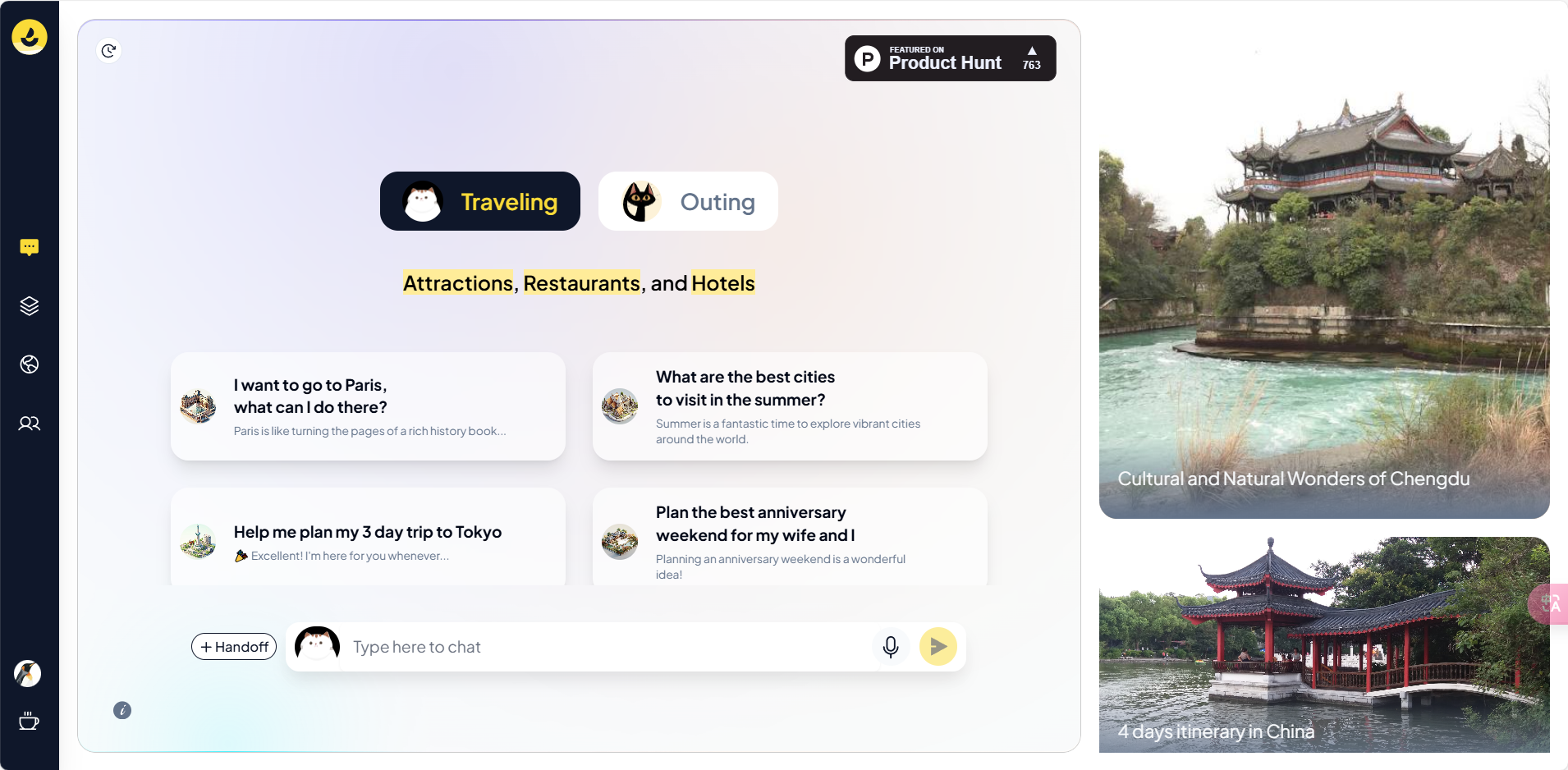
需求 2:wanderboat.ai 嵌入

  • 项目:在上面项目的基础上嵌入 wanderboat.ai
  • 要求:这个不需要适配手机端
  • 已有后端的接口
  • 预算:4000
  • 具体细节可以加了 QQ 再进行聊
  • 需要适配的界面:
  1. 对话界面 image-20240725105118610

  2. 这个界面标红的部分不要,卡片点开后的具体内容也不要

image-20240725105616605

  1. 点击 Click to Generate 后的行程规划界面

image-20240725105750582

image-20240725110013145

Featured Replies

No posts to show

创建帐户或登录来提出意见

Configure browser push notifications

Chrome (Android)
  1. Tap the lock icon next to the address bar.
  2. Tap Permissions → Notifications.
  3. Adjust your preference.
Chrome (Desktop)
  1. Click the padlock icon in the address bar.
  2. Select Site settings.
  3. Find Notifications and adjust your preference.