跳转到内容
View in the app

A better way to browse. Learn more.

彼岸论坛

A full-screen app on your home screen with push notifications, badges and more.

To install this app on iOS and iPadOS
  1. Tap the Share icon in Safari
  2. Scroll the menu and tap Add to Home Screen.
  3. Tap Add in the top-right corner.
To install this app on Android
  1. Tap the 3-dot menu (⋮) in the top-right corner of the browser.
  2. Tap Add to Home screen or Install app.
  3. Confirm by tapping Install.
欢迎抵达彼岸 彼岸花开 此处谁在 -彼岸论坛

[分享发现] 请大家带脑子看姜萍

发表于

db5fcfd5d76c5eb91a57d6418d0cacfa34943633 以上是现在网络上铺天盖地的舆论,为什么“造假”的舆论会占据搜索引擎的首页,因为它们更符合人性,且你更愿意去点击它。一个带脑子的人会去分辨舆论的真伪,这个是去分辨事情本身的真伪的第一步。

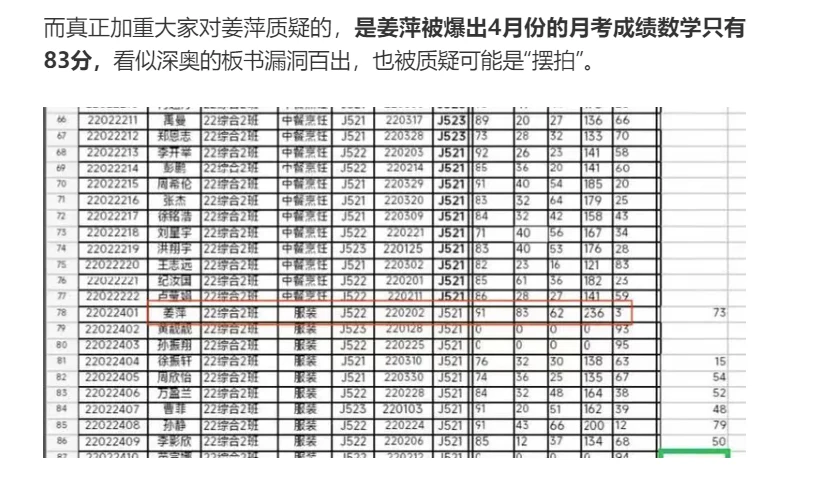
舆论去说姜萍造假的证据无非就两点: 8beb211501ca746575321c0c727ff80d34943633

dfa8578cd80cc8178bc7c8c107c4310e34943633

Featured Replies

No posts to show

创建帐户或登录来提出意见

Configure browser push notifications

Chrome (Android)
  1. Tap the lock icon next to the address bar.
  2. Tap Permissions → Notifications.
  3. Adjust your preference.
Chrome (Desktop)
  1. Click the padlock icon in the address bar.
  2. Select Site settings.
  3. Find Notifications and adjust your preference.