跳转到内容
View in the app

A better way to browse. Learn more.

彼岸论坛

A full-screen app on your home screen with push notifications, badges and more.

To install this app on iOS and iPadOS
  1. Tap the Share icon in Safari
  2. Scroll the menu and tap Add to Home Screen.
  3. Tap Add in the top-right corner.
To install this app on Android
  1. Tap the 3-dot menu (⋮) in the top-right corner of the browser.
  2. Tap Add to Home screen or Install app.
  3. Confirm by tapping Install.
游客用户下载速度限制128kb免费注册后解除限速

AdGuard广告拦截器APP Nightly v4.7.127

(0篇 评论)

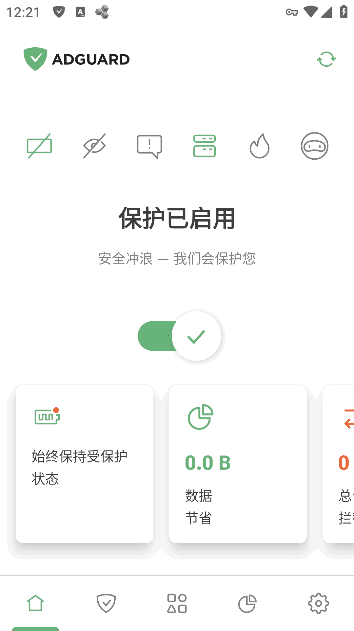
1张 截图

📱AdGuard中文版广告拦截器是一款最受欢迎的广告拦截程序.Adguard手机版Adguard安卓版无需ROOT权限,可以拦截所有应用和浏览器的广告.具有广告内容拦截跟踪器(包括:广告过滤器,社交过滤器,隐私过滤器,安全过滤器,自定义过滤器),DNS过滤,HTTPS过滤,节省应用流量数据管理以及隐身模式保护个人安全隐私.

image.png.594ab6d66898f11ed0b9495d82b030c2.png

新版变化

AdGuard - Block Ads Without Root Nightly for Android
https://adguard.com/zh_cn/versions/android/nightly.html

特点描述

Adguard [Nightly] [Premium] [Mod]

by Balatan
adguard安卓版,adguard破解订阅版
- 解锁永久订阅版,可以正常更新规则
- 去除首次启动欢迎界面快速设置向导
- 跳过发送改善体验以及隐私政策向导
- 禁用或移除了不必要的权限、服务、接收器、提供器
- 删除不必要资源文件、对齐优化、压缩打包减小体积

有什么新的在版本 v4.7.61

发布

此版本没有可用的更改日志.

与版本 v4.7.61:

用户反馈

您只能在下载文件后才能提供评论.

没有评论可显示.

Configure browser push notifications

Chrome (Android)
  1. Tap the lock icon next to the address bar.
  2. Tap Permissions → Notifications.
  3. Adjust your preference.
Chrome (Desktop)
  1. Click the padlock icon in the address bar.
  2. Select Site settings.
  3. Find Notifications and adjust your preference.